
ERP Integration Challenges (and How to Avoid Them)
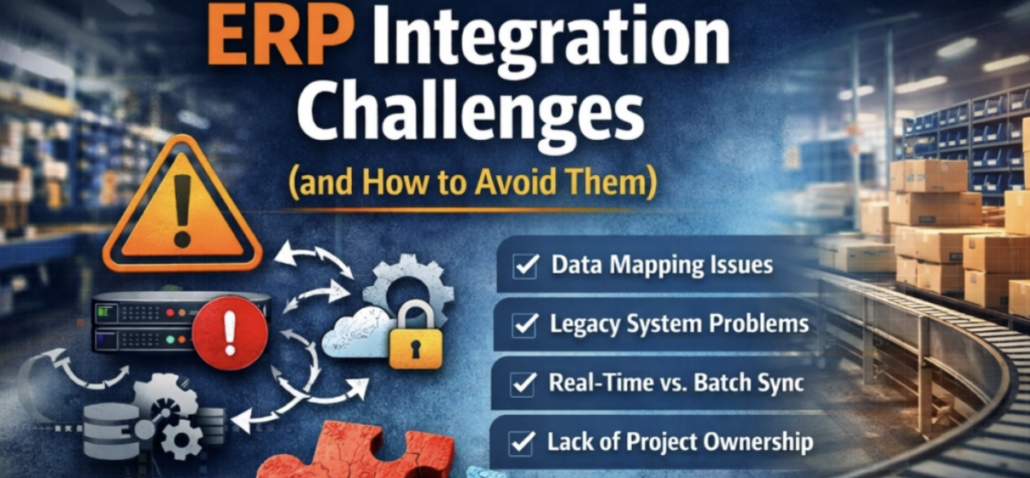
Enterprise Resource Planning (ERP) systems are the backbone of many manufacturing and distribution companies. They manage everything from accounting and inventory to purchasing and production planning. But as businesses grow, they often need their ERP system to connect with other software platforms.
This is where ERP integration becomes essential.
By connecting systems like CRM platforms, warehouse management systems, e-commerce platforms, and shipping software, ERP integrations allow data to flow automatically across the business. Industry research shows that ERP systems and integrated platforms improve operational efficiency, reduce inventory costs, and increase productivity across manufacturing and distribution organizations. However, integration projects can present several challenges if they are not carefully planned and executed.
In this article, we’ll explore the most common ERP integration challenges and provide practical strategies to help avoid them.
If you’re new to the concept, you may want to start with our guide:
“What Is ERP Integration? A Beginner’s Guide for Manufacturing & Distribution.”
Why ERP Integrations Can Be Challenging
ERP integrations involve connecting multiple systems that were often built at different times, by different vendors, and for different purposes.
These systems may use different:
-
Data structures
-
Communication protocols
-
APIs
-
Security standards
Without proper planning, integrations can create data inconsistencies, system errors, or operational disruptions.
The good news is that most of these challenges are preventable.
1. Data Mapping and Data Quality Issues
One of the biggest challenges in ERP integration is ensuring that data fields match correctly between systems.
For example:
| CRM Field | ERP Field |
|---|---|
| Customer Name | Customer ID |
| Product SKU | Item Code |
| Order Date | Transaction Date |
If these fields are not mapped correctly, the integration may produce inaccurate or incomplete records.
How to Avoid This Problem
-
Perform a data audit before integration begins
-
Standardize naming conventions across systems
-
Create a detailed data mapping document
-
Test integrations using sample datasets
Clean, standardized data is the foundation of a successful integration. Inventory data is often one of the first areas affected when integrations experience synchronization problems.
2. Legacy Systems Without Modern APIs
Many manufacturing and distribution companies still operate legacy software that was not originally designed for modern integrations.
Older systems may rely on:
-
File-based transfers
-
Manual imports
-
Limited API capabilities
This can make real-time integrations difficult.
How to Avoid This Problem
Possible solutions include:
-
Using middleware platforms
-
Creating custom API connectors
-
Implementing scheduled batch integrations
A knowledgeable integration partner can help determine the best approach based on the systems involved.
3. Real-Time vs. Batch Integration Confusion
Another common issue is deciding whether systems should sync data in real time or on a scheduled basis.
Real-time integrations are useful for:
-
Order processing
-
Inventory availability
-
Customer updates
Batch integrations may work better for:
-
Financial reporting
-
Data archiving
-
Daily synchronization tasks
How to Avoid This Problem
Define business requirements early in the integration project and determine:
-
Which processes require real-time updates
-
Which processes can run on scheduled updates
This helps reduce system strain and ensures reliable performance.
4. Integration Architecture Decisions
There are several ways to connect systems to an ERP platform.
Common integration methods include:
Direct API Integration
Systems communicate directly through APIs.
Pros
-
Fast
-
Real-time data flow
Cons
-
Difficult to maintain if many systems are connected
Middleware / Integration Platform
A middleware layer manages communication between systems.
Pros
-
Scalable
-
Easier to manage multiple integrations
Cons
-
Additional software layer
File-Based Integrations
Systems exchange data using scheduled file transfers.
Pros
-
Simple to implement
Cons
-
Not real-time
Choosing the wrong architecture early can lead to expensive rework later.
5. Lack of Internal Ownership
Integration projects sometimes fail because no one within the organization clearly owns the project.
ERP integrations often involve multiple departments:
-
IT
-
Operations
-
Finance
-
Sales
Without a designated owner, decisions stall and project scope can expand uncontrollably.
How to Avoid This Problem
Successful integration projects usually include:
-
A defined project manager
-
Clear integration requirements
-
Cross-department collaboration
-
Executive sponsorship
6. Insufficient Testing Before Launch
Some companies rush integrations into production without fully testing all scenarios.
This can lead to problems such as:
-
Duplicate records
-
Incorrect inventory quantities
-
Order processing errors
How to Avoid This Problem
Always conduct:
-
Unit testing
-
Integration testing
-
User acceptance testing
-
Parallel system testing before go-live
Testing ensures that integrations work reliably before they impact daily operations.
Integration issues don’t always cause failures. In many cases, they gradually reduce system performance and slow down transaction processing.
Best Practices for Successful ERP Integrations
Companies that consistently succeed with ERP integrations follow a few key principles:
Define Clear Business Objectives
Start by identifying what the integration should accomplish.
Examples include:
-
Eliminating manual data entry
-
Improving order accuracy
-
Increasing operational visibility
Document Data Flows
Create clear documentation showing how data moves between systems.
This simplifies troubleshooting and future upgrades.
Start with High-Value Integrations
Focus first on integrations that deliver the greatest operational impact.
Common examples include:
-
CRM integration
-
Warehouse management integration
-
E-commerce integration
You can explore these in our article:
“The Most Common ERP Integrations for Manufacturing & Distribution.”
Work With Experienced Integration Specialists
Many integration problems can be avoided by working with a knowledgeable ERP support partner who understands both the technical and operational aspects of the business.
Final Thoughts
Industry research shows that companies implementing modern ERP systems and integrations can achieve over 100% ROI within three years, along with faster decision-making and improved operational efficiency.
ERP integrations can dramatically improve efficiency for manufacturing and distribution companies, but they must be implemented thoughtfully.
Successfully implementing an ERP integration is only the beginning. As systems evolve, software updates, security changes, infrastructure modifications, and business process adjustments can all impact integration performance. Businesses should regularly review and monitor integrations to prevent costly disruptions and maintain long-term reliability.
Read next: Why ERP Integrations Break — And How to Prevent Costly Business Disruptions
By understanding common challenges—such as data mapping issues, legacy system limitations, and poor integration planning—companies can avoid costly mistakes and ensure a smoother implementation.
When properly executed, ERP integrations allow organizations to automate workflows, improve data accuracy, and scale operations more effectively.

