
Document Management for SAP Business One
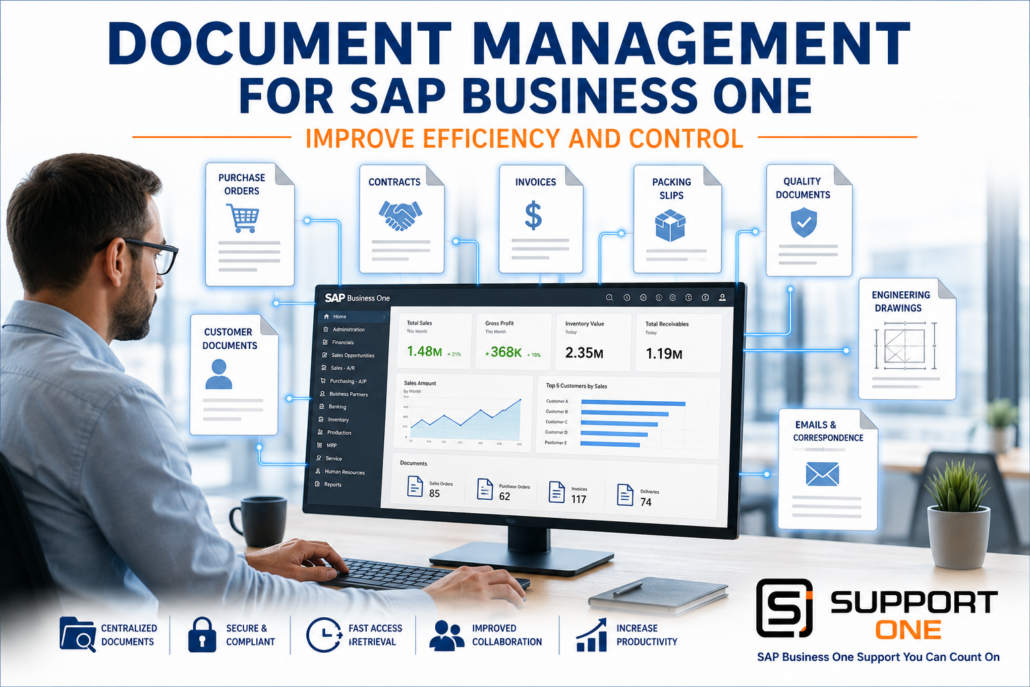
Document Management for SAP Business One: Improve Efficiency and Control
Document Management for SAP Business One helps businesses organize, secure, and access critical documents directly within their ERP system. From purchase orders and invoices to contracts, engineering drawings, and customer records, managing business documents efficiently is essential for productivity and compliance.
Unfortunately, many organizations still rely on paper files, shared network folders, or disconnected storage systems. Employees waste valuable time searching for documents, duplicate files create confusion, and important information can be difficult to locate when it is needed most.
By integrating document management with SAP Business One, businesses can centralize information, improve collaboration, strengthen security, and reduce manual processes while giving employees instant access to the documents they need.
What Is Document Management for SAP Business One?
Document Management provides a centralized repository where business documents are securely stored, organized, and linked directly to ERP transactions.
Instead of searching through filing cabinets or multiple shared folders, employees can quickly retrieve documents associated with customers, vendors, inventory items, or financial transactions.
Examples include:
- Customer invoices
- Purchase orders
- Vendor contracts
- Sales quotations
- Bills of lading
- Packing slips
- Engineering drawings
- Product specifications
- Quality control records
- Employee documents
- Emails and correspondence
Having these documents available directly from SAP Business One improves productivity while reducing errors and administrative work.
Related Reading: Business Intelligence for SAP Business One: Turn Data into Better Decisions
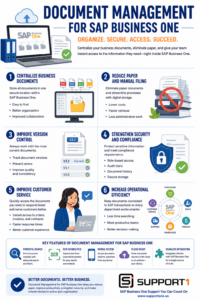
Document Management for SAP Business One centralizes business documents, improves version control, strengthens security, simplifies compliance, and gives employees instant access to the information they need to work more efficiently.
Why Traditional File Storage Creates Problems
Many growing businesses continue to store documents in multiple locations:
- Filing cabinets
- Shared network drives
- Email folders
- Employee desktops
- Cloud storage services
This creates several challenges:
- Lost documents
- Duplicate files
- Version confusion
- Slow document retrieval
- Security risks
- Limited collaboration
- Difficult compliance audits
When employees spend time searching for information instead of serving customers or managing operations, productivity suffers.
1. How Document Management for SAP Business One Centralizes Business Documents
A document management solution creates a single location for business documents that can be accessed directly from SAP Business One.
Employees can instantly locate:
- Customer records
- Vendor files
- Purchase orders
- Contracts
- Engineering drawings
- Quality documents
- Financial records
Benefits include:
- Faster document retrieval
- Better organization
- Improved collaboration
- Reduced duplicate files
Well-organized documents also improve reporting by ensuring employees work with accurate, current information.
Centralized business documents become even more useful when employees can access them remotely. Mobile ERP for SAP Business One gives authorized users secure access to contracts, invoices, and other business documents wherever they work.
2. How Document Management for SAP Business One Reduces Paperwork
Paper documents create unnecessary administrative work.
Document Management helps businesses eliminate:
- Filing cabinets
- Printed invoices
- Paper purchase orders
- Manual archiving
- Physical storage costs
Employees spend less time filing paperwork and more time performing value-added activities.
Businesses also reduce printing costs while supporting paperless office initiatives.
Automating document storage complements other workflow improvements across the ERP system.
Related Reading: SAP Business One Automation: Save Time, Reduce Costs, and Improve Efficiency
3. Document Management for SAP Business One Improves Version Control
One of the biggest challenges with traditional document storage is knowing which version is current.
Document Management helps maintain:
- Current contracts
- Updated engineering drawings
- Approved procedures
- Product specifications
- Customer agreements
Version control reduces mistakes while ensuring employees always work from the latest information.
Organizations planning ERP upgrades should also review their document management strategy to ensure compatibility with modern technologies.
Related Reading: ERP Upgrade Problems: Causes and Solutions
4. Document Management for SAP Business One Strengthens Security
Business documents often contain sensitive financial, operational, and customer information.
A document management solution improves security through:
- User permissions
- Role-based access
- Audit trails
- Document history
- Secure storage
- Controlled sharing
These features help organizations meet internal governance requirements and industry compliance standards while reducing the risk of unauthorized access.
Explore Microsoft: SharePoint, team collaboration software tools
5. Document Management for SAP Business One Improves Customer Service
Customer service improves when employees can quickly retrieve important documents during a phone call or meeting.
Examples include:
- Sales orders
- Signed contracts
- Shipping confirmations
- Invoices
- Warranty information
- Customer correspondence
Having immediate access to this information allows employees to respond faster while providing a more professional customer experience.
Customer information becomes even more valuable when integrated across the business.
Related Reading: CRM Integration for SAP Business One: Improve Sales and Customer Relationships
Businesses exchanging documents electronically with customers and suppliers can further streamline operations through integrated document workflows.
Related Reading: EDI Integration for SAP Business One: Automate Trading Partner Communications
6. Document Management for SAP Business One Increases Operational Efficiency
Every department benefits from centralized document management.
Examples include:
Purchasing
Access vendor agreements and purchase orders instantly.
Finance
Retrieve invoices and supporting documentation during audits.
Warehouse
View packing slips, shipping documents, and product specifications.
Sales
Access quotes, contracts, and customer communications.
Customer Service
Locate warranty documentation and historical records within seconds.
When documents remain connected to ERP transactions, employees spend less time searching and more time serving customers.
Related Reading: AP Automation for SAP Business One: Reduce Costs and Eliminate Manual Processing
Related Reading: Payment Processing for SAP Business One: Improve Cash Flow and Reduce Costs
Related Reading: Shipping Integration for SAP Business One: Automate Shipping and Improve Fulfillment
Choosing a Document Management Solution
Not every document management platform offers the same capabilities.
When evaluating solutions, consider:
- Native SAP Business One integration
- Fast document search
- Version control
- OCR (Optical Character Recognition)
- User permissions
- Mobile access
- Cloud compatibility
- Security
- Scalability
- Ease of use
Choosing a solution that integrates seamlessly with SAP Business One helps maximize productivity while protecting valuable business information.
Explore AIIM (Association for Intelligent Information Management)
Organizations should also work with an experienced implementation partner that understands both SAP Business One and document management best practices.
Related Reading: How to Choose the Right SAP Business One Support Partner
AI can dramatically improve document creation, knowledge sharing, and employee training. Explore additional practical examples in our AI for SAP Business One: The Complete Guide.
Conclusion: Why Document Management for SAP Business One Delivers ROI
Documents are at the center of nearly every business process. When those documents are difficult to find or manage, productivity suffers and customer service declines.
Document Management helps businesses centralize documents, improve security, reduce paper, simplify compliance, and increase operational efficiency. Employees gain immediate access to the information they need while organizations reduce administrative costs and improve collaboration.
Whether your goal is becoming more paperless, supporting compliance initiatives, or improving day-to-day operations, document management is an investment that delivers measurable long-term value.
Ready to Organize Your Business Documents?
Support One helps businesses implement document management solutions that integrate with SAP Business One, making it easier to organize critical documents, improve collaboration, and streamline daily operations.
Learn Why Businesses Are Choosing Support One for SAP Business One Support and discover how the right technology and support partner can help your organization improve efficiency and prepare for future growth.
Schedule a Document Management Consultation to learn how an integrated document management solution can help your business reduce paperwork, improve productivity, and maximize the value of SAP Business One.

Let’s talk about Document Management for SAP Business One

