
Mobile ERP for SAP Business One
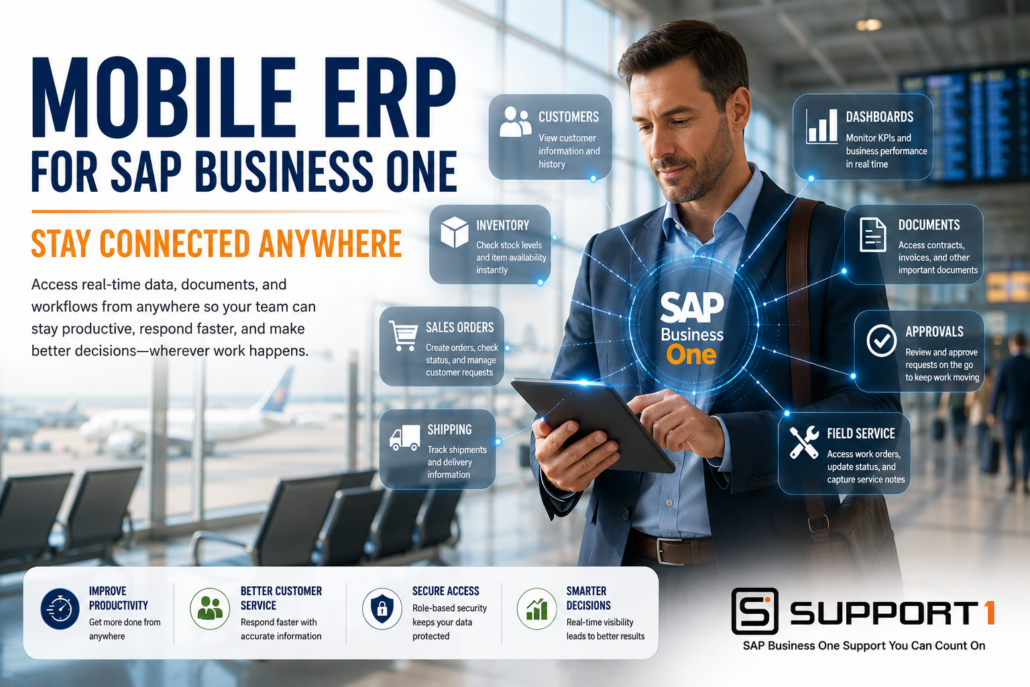
Mobile ERP for SAP Business One: Stay Connected Anywhere
Mobile ERP for SAP Business One gives employees secure access to business information wherever they work. Whether meeting with customers, managing warehouse operations, traveling between job sites, or working remotely, employees can access the data they need without being tied to their desks.
Today’s businesses move quickly, and decisions often need to be made outside the office. Sales representatives need current inventory information before promising delivery dates. Warehouse managers need real-time inventory visibility. Executives want access to dashboards and KPIs while traveling. Field technicians need customer history and service records on-site.
By extending SAP Business One to smartphones and tablets, businesses improve productivity, respond faster to customers, and make better decisions using real-time ERP information from virtually anywhere.
What Is Mobile ERP for SAP Business One?
Mobile ERP for SAP Business One allows authorized users to securely access key ERP information using smartphones, tablets, or other mobile devices.
Depending on user permissions, employees can view or update information such as:
- Customer records
- Sales orders
- Inventory availability
- Purchasing information
- Business dashboards
- Financial reports
- Documents
- Approval requests
- Service tickets
- Delivery information
Instead of waiting until they return to the office, employees can access critical business information whenever they need it.
Related Reading: Document Management for SAP Business One
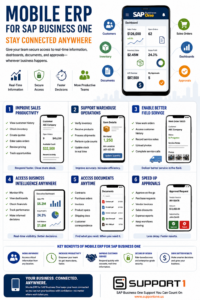
Mobile ERP for SAP Business One gives employees secure access to real-time business information, dashboards, documents, approvals, and workflows from anywhere, helping improve productivity, customer service, and decision-making.
Why Mobile Access Matters
Modern employees rarely spend their entire day sitting at a desk.
Many work from:
- Customer locations
- Warehouses
- Manufacturing facilities
- Home offices
- Job sites
- Airports
- Company vehicles
Without mobile ERP access, employees often rely on phone calls, emails, or outdated information to make decisions.
Mobile ERP provides secure, real-time access to business information wherever work happens.
2. Support Warehouse Operations with Mobile ERP for SAP Business One
Warehouse employees benefit from real-time access to inventory information while moving throughout the facility.
Using mobile devices they can:
- Verify inventory
- Check stock availability
- Receive products
- Process shipments
- Perform cycle counts
- Update inventory transactions
Real-time access improves inventory accuracy while reducing unnecessary trips back to a workstation.
Related Reading: SAP Business One WMS: Improve Warehouse Efficiency and ROI
Related Reading: SAP Business One Barcode Scanning: Improve Accuracy and Productivity
Mobile access becomes even more valuable when employees receive actionable information instead of simply viewing transactions. AI warehouse management can help identify priorities, replenishment needs, picking issues, and other exceptions that warehouse teams can act on from the floor.
3. Enable Better Field Service
Field technicians need access to customer and equipment information while working on-site.
Mobile ERP allows technicians to:
- View work orders
- Access customer history
- Record service notes
- Capture photos
- Update service activities
- Complete work orders
Providing technicians with current information improves service quality while reducing paperwork and administrative delays.
Related Reading: Field Service Management Integration: Improving Efficiency and Profitability
4. Access Business Intelligence Anywhere
Executives no longer need to wait until they return to the office to review business performance.
Using Mobile ERP they can monitor:
- Executive dashboards
- Key Performance Indicators (KPIs)
- Sales trends
- Inventory levels
- Cash flow
- Financial performance
Real-time visibility allows business leaders to make faster, better-informed decisions regardless of their location.
Related Reading: Business Intelligence for SAP Business One: Turn Data into Better Decisions
5. Access Business Documents from Anywhere
Business documents are often just as important as ERP data.
Mobile ERP gives employees secure access to:
- Contracts
- Purchase orders
- Invoices
- Product specifications
- Shipping documents
- Customer correspondence
Having documents available wherever employees work improves collaboration while reducing delays caused by missing information.
Related Reading: Document Management for SAP Business One
6. Speed Up Business Approvals
Business processes often slow down while waiting for management approvals.
Mobile ERP helps managers approve:
- Purchase requests
- Vendor invoices
- Sales discounts
- Expense reports
- Workflow approvals
Instead of waiting until someone returns to the office, approvals can be completed from virtually anywhere, helping organizations keep work moving.
Related Reading: AP Automation for SAP Business One: Reduce Costs and Eliminate Manual Processing
Related Reading: SAP Business One Automation: Save Time, Reduce Costs, and Improve Efficiency
Choosing the Right Mobile ERP Solution
Not every mobile ERP solution offers the same capabilities.
When evaluating solutions, consider:
- Native SAP Business One integration
- Secure authentication
- Role-based security
- Cloud compatibility
- Mobile dashboards
- Offline capabilities
- Easy navigation
- Scalability
- Ongoing support
Businesses should also evaluate whether their current SAP Business One version supports the latest mobile capabilities and security features.
SAP offers mobile capabilities that allow authorized users to securely access key SAP Business One information from smartphones and tablets, helping employees stay productive wherever they work.
Organizations should also work with an experienced SAP Business One partner to ensure mobile solutions are implemented securely and aligned with business goals.
Related Reading: ERP Upgrade Problems: Causes and Solutions
Related Reading: How to Choose the Right SAP Business One Support Partner
Conclusion: Why Mobile ERP for SAP Business One Delivers ROI
Business no longer happens only inside the office.
Mobile ERP for SAP Business One gives employees secure access to the information they need wherever work takes them. Sales teams respond faster, warehouse employees improve inventory accuracy, field technicians deliver better service, executives gain real-time visibility, and managers keep workflows moving with mobile approvals.
By extending SAP Business One beyond the desktop, organizations improve responsiveness, increase productivity, strengthen collaboration, and maximize the value of their ERP investment.
Mobile access gives employees real-time information wherever they work. AI helps them understand that information faster. Learn how these technologies complement each other in our AI for SAP Business One: The Complete Guide.
Ready to Take SAP Business One Beyond the Office?
Support One helps businesses implement secure Mobile ERP solutions that extend SAP Business One to smartphones and tablets, giving employees access to the information they need wherever they work.
Whether your team works in sales, the warehouse, the field, or remotely, we can help you implement a mobile solution that improves productivity, enhances customer service, and keeps your business connected.
Learn Why Businesses Are Choosing Support One for SAP Business One Support to see how our team helps organizations maximize the value of their ERP investment.
Schedule a Mobile ERP Consultation to discover how secure mobile access can improve efficiency, speed decision-making, and support your growing business.
Let’s talk about Mobile ERP for SAP Business One

