
ERP Upgrade Problems: Causes and Solutions
ERP upgrade problems are common when businesses attempt to update their ERP systems without proper planning. An ERP upgrade is more than installing new software — it requires careful consideration of data quality, integrations, customizations, user training, and business processes.
Many companies begin an ERP upgrade expecting improved performance and new capabilities, only to discover unexpected challenges after the project begins.
Common ERP upgrade problems include broken integrations, outdated customizations, inaccurate data, reporting issues, and employees who are not prepared for system changes.
With proper planning and the right ERP support partner, most upgrade challenges can be identified and addressed before they impact the business.
Most Common ERP support challenges
Why ERP Upgrades Fail
ERP upgrades fail for many reasons, but most problems come from inadequate planning.
A successful upgrade requires businesses to evaluate:
- Current system performance
- Business processes
- Data quality
- Customizations
- Integrations
- User requirements
- Future business goals
An upgrade should not simply recreate an outdated system on a newer version. It should be an opportunity to improve workflows, eliminate unnecessary complexity, and prepare the business for future growth.
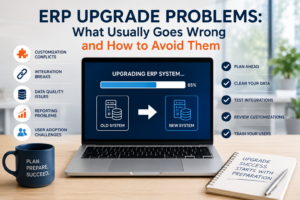
Even a well-planned ERP upgrade can create operational disruptions if testing, backups, and communication are overlooked. Understanding how to reduce ERP downtime is an important part of any upgrade strategy.
Common ERP Upgrade Problems Businesses Experience
1. Poor Planning and Unrealistic Expectations
One of the biggest ERP upgrade mistakes is underestimating the complexity of the project.
Businesses often underestimate:
- Testing requirements
- Data cleanup
- User training needs
- Integration testing
- Customization reviews
- Implementation timelines
An ERP upgrade affects many areas of the business, including accounting, inventory, purchasing, sales, manufacturing, and reporting.
A successful upgrade requires a detailed plan before any changes are made. A knowledgeable SAP Business One support partner can help businesses evaluate upgrade requirements, test changes, and reduce risk throughout the process.
2. Outdated Customizations Create Upgrade Challenges
Many businesses customize their ERP system over time.
Customizations can include:
- Custom reports
- User-defined fields
- Automated workflows
- Add-ons
- Industry-specific modifications
While customizations can provide significant value, outdated customizations can become one of the biggest obstacles during an ERP upgrade.
Common problems include:
- Customizations no longer working
- Add-ons becoming incompatible
- Reports requiring redesign
- Increased testing requirements
Before upgrading, businesses should review which customizations are still valuable and which should be replaced with newer functionality.
Many ERP upgrade problems are caused by customizations that are no longer supported, documented, or aligned with current business processes. Before upgrading, businesses should review whether existing ERP customizations are still providing value.
3. Data Quality Problems Surface During ERP Upgrades
ERP upgrades often reveal data problems that have accumulated over years.
Examples include:
- Duplicate customers
- Incorrect inventory records
- Outdated vendors
- Inconsistent item information
- Missing transaction details
Migrating poor-quality data into a new ERP environment can create problems that are difficult to correct later.
A successful upgrade should include a data review and cleanup process.
Why Your ERP Data Quality Matters More Than Ever
4. Integration Problems After ERP Upgrades
Modern businesses rarely use ERP systems by themselves.
ERP systems often connect with:
- CRM platforms
- Ecommerce systems
- Warehouse management systems
- Manufacturing software
- Shipping applications
- Reporting tools
When an ERP system is upgraded, integrations must be tested carefully.
Common integration problems include:
- Data not transferring correctly
- API compatibility issues
- Duplicate transactions
- Missing information
- Delayed synchronization
Many companies discover after an upgrade that connected systems no longer work as expected.
Why ERP Integrations Break and How to Prevent Them
5. Reporting Changes After an ERP Upgrade
Reporting is one of the areas businesses often overlook.
After an upgrade, companies may experience:
- Reports no longer working
- Changed report formats
- Missing fields
- Incorrect calculations
- User confusion
Financial and operational reports are critical for decision-making, so testing reports should be part of every ERP upgrade plan.
Why Financial Reports Don’t Match in ERP Systems
6. Users Are Not Prepared for the Change
Even a technically successful ERP upgrade can struggle if users are not prepared.
Employees may experience:
- New screens
- Different workflows
- Changed processes
- Updated reports
- New features
Without proper training, users may create workarounds that reduce the value of the upgraded system. Every SAP Business One upgrade introduces opportunities to improve processes and take advantage of new functionality. User training helps ensure those improvements translate into real business value.
User adoption is one of the most important factors in ERP success.
SAP Business One Upgrade Challenges
SAP Business One customers often face unique upgrade considerations.
Common SAP Business One upgrade challenges include:
- Older versions that lack newer functionality
- Add-on compatibility issues
- Crystal Reports changes
- Database considerations
- Custom queries that require updates
- Integration testing requirements
Many businesses continue using older SAP Business One environments because they are concerned about disruption, cost, or complexity.
Companies running older versions of SAP Business One may be missing important SAP Business One Automation capabilities available in newer releases and integrated solutions.
However, staying on outdated versions can create its own challenges, including:
- Limited access to newer features
- Compatibility concerns
- Increased support difficulty
- Reduced ability to leverage automation and AI capabilities
Many SAP Business One customers work with an experienced support partner to identify potential ERP upgrade problems before they impact daily operations. Support One helps SAP Business One customers evaluate upgrade options, prepare their systems, and reduce upgrade-related risks.
Why Choose Support One for SAP Business One?
How to Prepare for a Successful ERP Upgrade
1. Evaluate Your Current ERP Environment
Before upgrading, review:
- Current system performance
- Existing customizations
- Integrations
- Reporting requirements
- User challenges
Understanding your current environment helps prevent surprises.
2. Clean Your ERP Data
Before migrating data, review:
- Duplicate records
- Outdated information
- Incorrect inventory data
- Incomplete records
Starting with clean data improves the success of the upgrade.
Read More: Why ERP Data Quality Matters More Than AI Tools
3. Test Before Going Live
Testing should include:
- Financial transactions
- Inventory processes
- Sales workflows
- Purchasing processes
- Integrations
- Reports
A thorough testing process identifies issues before they affect daily operations.
4. Train Your Users
Training should happen before the upgrade goes live.
Users should understand:
- What changed
- Why changes were made
- How workflows have improved
- Where to find support resources
Upgrades are most successful when they are part of a broader SAP Business One support strategy that includes planning, testing, training, and optimization.
ERP Upgrades Are an Opportunity, Not Just a Requirement
Many businesses view ERP upgrades as a necessary expense.
However, a well-planned upgrade can provide opportunities to:
- Improve workflows
- Reduce manual processes
- Increase reporting accuracy
- Improve system performance
- Add automation
- Prepare for future technologies
An ERP upgrade should support business growth, not simply maintain the status quo. An ERP upgrade should not only solve technology issues. It should also create opportunities to improve efficiency, automate processes, and increase the value of your SAP Business One investment.
Before investing in additional software, companies should evaluate whether upgrading SAP Business One can solve some operational challenges. In some cases, newer warehouse capabilities or integrated field service solutions can provide the improvements businesses need.
Businesses evaluating an SAP Business One upgrade should also consider how SAP Business One Barcode Scanning and modern warehouse management solutions can improve productivity and inventory accuracy. Additionally, they should also evaluate eCommerce Integration for SAP Business One, since newer ERP versions often provide stronger support for modern online sales platforms and real-time data synchronization.
Organizations planning an ERP upgrade should also evaluate AP Automation for SAP Business One, as newer ERP environments often integrate more effectively with modern financial automation solutions. Additionally, automating payment processing with newer ERP versions often provide stronger integration with secure payment platforms and financial automation tools.
Many companies postpone ERP upgrades because their current system appears stable. However, older versions can create additional challenges related to compatibility, supportability, and SAP Business One security risks.
Resources for ERP Upgrade Planning
SAP Business One Upgrade Documentation
SAP provides resources and documentation to help organizations understand SAP Business One upgrades, system requirements, and implementation considerations.
SAP Business One upgrade documentation
ERP Implementation and Upgrade Best Practices
Organizations should follow structured implementation practices when managing major ERP changes.
Project Management Institute: ERP implementation best practices
Data Migration Best Practices
Data migration is one of the most critical parts of any ERP upgrade.
IBM Data Migration Best Practices
Working with an experienced SAP Business One support team can help businesses evaluate their current environment, test changes, and reduce disruption during upgrades.
Final Thoughts
ERP upgrades are major business projects that require careful planning, communication, and expertise. Addressing ERP upgrade problems before they occur helps businesses reduce downtime, protect critical data, and maximize the value of their ERP investment.
The biggest ERP upgrade problems usually do not come from the software itself. They come from:
- Poor planning
- Unclean data
- Unsupported customizations
- Integration issues
- Lack of user preparation
By taking a proactive approach and working with an experienced ERP support partner, businesses can reduce risk and maximize the value of their ERP investment.
A successful upgrade is not just about having a newer version of your ERP system. It is about creating a stronger foundation for future growth.
Need Help Planning Your ERP Upgrade?
An ERP upgrade does not have to disrupt your business.
Support One helps SAP Business One customers evaluate upgrade options, improve system performance, review customizations, and prepare their ERP environment for future needs.
Whether you need help with an upgrade, ongoing support, integrations, or system optimization, our team can help.
Let’s talk about your ERP system support needs.

Let’s Talk About Your Upgrade

