What is SAP Business One?
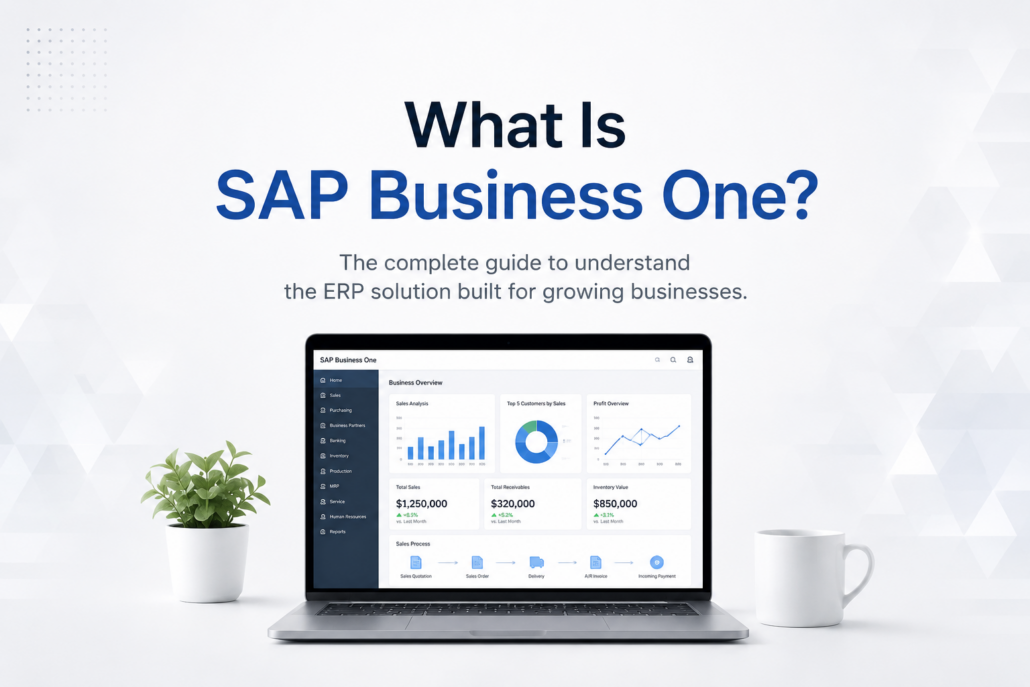
What Is SAP Business One? A Complete Guide
SAP Business One is an ERP system designed for small and midsize businesses that brings financials, sales, purchasing, inventory, production, CRM, reporting, and other core business processes into one integrated system.
Instead of relying on separate spreadsheets and disconnected applications, businesses can use SAP Business One to manage operations from a shared source of data. This gives employees better visibility across departments, reduces duplicate data entry, and helps managers make faster, more informed decisions.
SAP Business One can be deployed to support a wide range of industries, but it is particularly well suited for growing manufacturers, distributors, and other companies that have outgrown basic accounting software or disconnected business systems.
SAP provides a detailed overview of Business One features and capabilities, including financial management, sales, purchasing, inventory, analytics, and reporting.
In this guide, we’ll explain what SAP Business One does, its major features and benefits, who it’s designed for, deployment and integration options, implementation considerations, and how newer capabilities such as the Web Client and AI are changing the platform.

SAP Business One at a Glance
For businesses evaluating ERP software, here is a quick overview:
| Question | Quick Answer |
|---|---|
| What is SAP Business One? | An integrated ERP system for small and midsize businesses |
| What does it manage? | Financials, sales, purchasing, inventory, production, CRM, service, reporting, and more |
| Who is it designed for? | Growing small and midsize businesses, including manufacturers and distributors |
| Can it replace separate business systems? | In many cases, yes. It can consolidate multiple core processes and integrate with specialized applications when needed |
| Cloud or on-premise? | SAP Business One can support cloud-hosted and on-premise deployment approaches |
| Does it have a Web Client? | Yes. The Web Client provides browser-based access to a growing range of SAP Business One functionality |
| Can it integrate with other software? | Yes. SAP Business One supports integrations with eCommerce, WMS, shipping, EDI, payment processing, AP automation, CRM, and other business applications |
| Can SAP Business One support AI? | Yes. AI can be used alongside ERP data and workflows, and newer Web Client releases are introducing AI-assisted capabilities |
| Is it customizable? | Yes. It can be configured and extended through integrations, add-ons, APIs, queries, reports, and other tools |
Who Is SAP Business One Designed For?
SAP Business One was developed specifically for small and midsize businesses that need the capabilities of an integrated ERP system without the complexity of enterprise software designed for very large global organizations.
It can be particularly valuable when a growing business begins experiencing problems such as:
- Too many spreadsheets and disconnected applications
- Duplicate or inconsistent data
- Limited visibility into inventory and operations
- Manual financial and administrative processes
- Difficulty forecasting demand or purchasing requirements
- Reporting that requires information from multiple systems
- Employees entering the same information more than once
- Business processes that no longer scale as transaction volume increases
Manufacturers can use the system to connect financial management with purchasing, inventory, production, planning, and sales. Distributors can improve inventory visibility, purchasing, order processing, warehouse operations, and fulfillment. Other growing businesses can use the system to connect financial and operational information across departments.
The objective isn’t simply to replace accounting software. A properly implemented SAP Business One ERP environment creates a common operational platform so employees throughout the organization can work from more consistent, timely information.
What Does SAP Business One Do?
At its core, SAP Business One connects the major functions required to operate a business.
Rather than having finance maintain one set of information, sales another, and purchasing and inventory yet another, transactions can flow through an integrated ERP environment.
For example, a customer order can affect inventory availability, purchasing requirements, production planning, fulfillment, accounts receivable, and financial reporting. Connecting those processes reduces manual handoffs and gives managers a clearer picture of what’s happening throughout the business.
SAP Business One includes capabilities for:
- Financial management — general ledger, accounts payable, accounts receivable, banking, budgeting, and financial reporting
- Sales and customer management — opportunities, quotations, sales orders, customer information, and CRM
- Purchasing — purchase orders, suppliers, receiving, and purchasing analysis
- Inventory management — item management, stock levels, warehouses, pricing, and inventory transactions
- Production and MRP — bills of materials, production orders, material requirements planning, and production-related processes
- Service management — service calls, equipment records, contracts, and customer support activities
- Reporting and analytics — operational reports, dashboards, queries, Crystal Reports, and business analysis
The result is a more complete view of the business and a stronger foundation for automation, reporting, integrations, and increasingly, artificial intelligence.
Financial Management and Accounting
SAP Business One brings financial management together with the operational areas of the business, giving finance teams access to information generated by sales, purchasing, inventory, production, and other activities.
Core financial capabilities include:
- General ledger and journal entries
- Accounts payable and accounts receivable
- Banking and reconciliation
- Budget management
- Fixed assets
- Cash-flow visibility
- Financial reporting and analysis
Because financial and operational transactions are connected within the same ERP environment, businesses can reduce duplicate data entry and improve the accuracy and timeliness of financial reporting.
Business One also allows companies to create standard and customized financial reports using current ERP data, helping managers monitor performance without relying as heavily on manually assembled spreadsheets.
Inventory, Purchasing, and Distribution
For manufacturers and distributors, inventory is often one of the most important reasons to move from basic accounting software to an ERP system.
The platform connects purchasing, inventory, warehouse activity, sales, and financial information so businesses can better understand what they have, what they need, and where inventory is located.
Capabilities include:
- Item and inventory management
- Multiple warehouses
- Purchasing and purchase orders
- Goods receipts and returns
- Supplier information
- Price lists
- Inventory transactions
- Material requirements planning
- Purchasing analysis
- Inventory reporting
For example, receiving goods can update inventory while also connecting the transaction to purchasing and accounting. This reduces the need to manually update several systems when inventory moves through the business.
SAP specifically identifies purchasing and inventory control as a core Business One capability, including procurement, warehouse/accounting integration, material planning, and real-time inventory reporting.
Manufacturing and Production
SAP Business One also includes functionality for manufacturers that need to connect production activities with inventory, purchasing, sales, and financial information.
Depending on the company’s requirements, businesses can manage areas such as:
- Bills of materials
- Production orders
- Material requirements planning (MRP)
- Component inventory
- Finished goods
- Production-related inventory movements
- Purchasing requirements
This allows manufacturers to move beyond simply tracking what was purchased and sold. They can use ERP information to better understand the materials required to produce finished goods and how production activity affects inventory and purchasing.
For companies with more advanced manufacturing, warehouse, scheduling, quality, or shop-floor requirements, SAP Business One can also be extended through industry-specific solutions and integrations.
Sales, CRM, and Customer Management
SAP Business One isn’t limited to accounting and inventory. It also includes tools for managing sales activity and customer relationships.
Businesses can manage:
- Leads and sales opportunities
- Quotations
- Sales orders
- Customer information
- Sales activities
- Marketing campaigns
- Service calls
- Customer contracts
- Sales reporting and forecasting
Because sales information is connected with inventory, purchasing, and finance, employees can gain better visibility into the entire customer relationship rather than working from separate systems.
For example, a salesperson can work with customer and opportunity information while the organization also maintains visibility into orders, inventory, fulfillment, and financial activity.
SAP describes Business One’s sales and customer management functionality as covering the customer lifecycle from initial contact through the sale, after-sales service, and support.
Reporting, Analytics, and Business Intelligence
One of the major benefits of an integrated SAP Business One ERP system is the ability to analyze information from across the organization.
SAP Business One includes reporting and analytics capabilities that can help businesses monitor:
- Sales performance
- Inventory
- Purchasing
- Financial results
- Cash flow
- Customer activity
- Operational performance
- Key performance indicators
Businesses can use dashboards, standard reports, queries, and customized reporting tools to turn ERP data into useful business information. For a more detailed exploration of all the above modules and benefits, here’s how you can get started.
SAP Business One also supports customized reports, including Crystal Reports. This allows organizations to adapt reports and layouts to their specific requirements rather than relying exclusively on standard formats. SAP highlights both report customization and real-time analytics as core Business One capabilities.
SAP Business One users who need to customize existing reports can also follow our step-by-step guide to editing Crystal Reports in SAP Business One.
The SAP Business One Web Client
One of the biggest changes in SAP Business One since this article was originally published in 2021 is the continued development of the SAP Business One Web Client.
The Web Client provides browser-based access to a growing range of SAP Business One functionality and offers a more modern user experience based on SAP’s web technologies.
Users can work with supported business processes such as marketing documents, master data, activities, approvals, analytics, and reporting through a web browser. SAP continues to expand the capabilities available through the Web Client as new SAP Business One releases are introduced.
The Web Client is especially important because it represents part of SAP Business One’s longer-term evolution toward a more accessible, browser-based ERP experience.
It also provides modern analytics capabilities. Current Web Client releases include reports for areas such as general ledger, profit and loss, inventory movement, purchasing, and sales analysis, with tools for grouping, filtering, aggregating, and drilling into ERP information.
For existing SAP Business One customers that primarily use the traditional desktop client, the Web Client is increasingly worth evaluating as part of their future ERP strategy. SAP also provides detailed Web Client documentation covering current functionality and capabilities.
SAP also continues to expand Business One through feature packages such as FP 2608, which adds significant Web Client functionality and new AI capabilities.
Learn more in our guide to the SAP Business One Web Client and what it means for users and the future of ERP.
AI and the Future of SAP Business One
Artificial intelligence is also beginning to become part of the SAP Business One product itself.
This is an important update because when this article was originally published in 2021, AI wasn’t a meaningful part of the SAP Business One discussion.
That is changing.
In current SAP Business One Web Client documentation, SAP describes AI functionality that can connect the Web Client with SAP AI Core on SAP Business Technology Platform and large language models. Current capabilities include an Ask AI feature for asking natural-language questions about selected contextual data and AI assistance for generating user-defined queries.
This is significant because it illustrates where ERP systems are heading: users will increasingly be able to interact with business information using natural language rather than relying exclusively on menus, reports, and manually constructed queries.
However, built-in SAP functionality is only part of the AI opportunity.
Businesses can also use AI alongside SAP Business One data to improve areas such as:
- Demand forecasting
- Inventory planning
- Purchasing
- Financial analysis
- Accounts payable automation
- Customer service
- Sales analysis
- Reporting
- Data quality
- Decision-making
The quality of those results still depends heavily on the quality and consistency of the underlying ERP data.
For a deeper look at these opportunities, see our AI for SAP Business One: A Complete Practical Guide, which covers practical use cases, tools, prompts, data readiness, governance, and implementation strategies.
SAP Business One vs. SAP Solutions for Larger Enterprises
SAP Business One is part of the SAP product family, but it was designed specifically for small and midsize businesses. It should not be thought of simply as a reduced version of SAP’s ERP solutions for larger enterprises.
SAP Business One provides an integrated ERP platform for managing financials, sales, purchasing, inventory, production, customer relationships, reporting, and other core business processes.
SAP’s enterprise ERP offerings, including SAP S/4HANA, are designed to support much larger and more complex organizations. These environments may involve extensive global operations, multiple business entities, highly complex processes, and significantly larger implementation requirements.
For many growing small and midsize businesses, SAP Business One provides the functionality they need without requiring an enterprise-scale ERP implementation.
The important question isn’t simply which SAP product has more functionality. It is which ERP system best matches the size, complexity, processes, growth plans, and requirements of the organization.
Companies with larger and more complex enterprise requirements may also evaluate SAP Cloud ERP solutions.
Cloud vs. On-Premise Deployment
SAP Business One can support different deployment approaches depending on the needs of the business and the solution provided by its SAP partner.
With an on-premise deployment, SAP Business One and its supporting infrastructure are typically managed within the company’s own IT environment or through infrastructure the company controls.
With a cloud-hosted deployment, the SAP Business One environment is hosted in a data center or cloud infrastructure and accessed remotely.
Cloud-hosted environments can reduce the need for businesses to maintain ERP server infrastructure themselves while making remote access easier. On-premise environments may appeal to organizations with specific infrastructure, control, customization, or IT requirements.
Neither approach is automatically right for every company.
Factors to consider include:
- Existing IT infrastructure
- Internal IT resources
- Remote-access requirements
- Security and compliance needs
- Business continuity
- Customizations and integrations
- Performance requirements
- Ongoing infrastructure costs
The right deployment strategy should support both current operations and the company’s longer-term technology plans.

Integrations and Add-On Solutions
One of the advantages of the platform is its ability to connect with other business applications.
Most companies don’t expect one ERP system to perform every specialized function. Instead, SAP Business One can serve as the central business system while integrating with applications that address specific requirements.
Common integrations include:
- Warehouse management systems
- eCommerce platforms
- EDI
- Shipping and freight solutions
- Accounts payable automation
- Payment processing
- Sales tax automation
- Field service applications
- CRM and sales tools
- Barcode scanning
- Business intelligence
- Document management
- Industry-specific applications
The goal of ERP integration isn’t simply to connect software. A well-designed integration should reduce duplicate entry, improve data consistency, automate processes, and allow information to move between systems with less manual intervention.
For companies with specialized requirements, SAP Business One also has an extensive ecosystem of add-on solutions developed specifically for the platform.
Learn more about ERP integration and how connected business applications can extend the value of SAP Business One.
How Long Does ERP Implementation Take?
There isn’t one implementation timeline that applies to every SAP Business One project.
Implementation time depends on factors such as:
- Number of users
- Number of locations or business entities
- Business-process complexity
- Data migration requirements
- Integrations
- Add-on solutions
- Customizations
- Reporting requirements
- User training
- Testing
- Availability of the customer’s project team
A relatively straightforward implementation can move much faster than a project involving manufacturing, multiple integrations, extensive historical data, custom reports, or complex workflows.
The quality of preparation is also important. Clearly defined processes, clean data, realistic requirements, and participation from key employees can significantly affect the success of an ERP implementation.
A good implementation shouldn’t focus only on getting the software running. The objective should be to configure SAP Business One around the company’s operational requirements and make sure employees are prepared to use it effectively.

Understanding ERP Costs
The cost of an ERP implementation varies considerably because an ERP project involves more than purchasing software licenses.
The total investment can include:
- SAP Business One licensing
- Cloud hosting or infrastructure
- Implementation services
- Data migration
- Integrations
- Add-on solutions
- Customizations
- Crystal Reports and reporting work
- Training
- Ongoing support
- Future upgrades and enhancements
The number and type of users also affect software costs.
For this reason, businesses evaluating SAP Business One should be cautious about relying on a single advertised price without understanding what is included.
A more useful question is:
What will it cost to implement SAP Business One for our specific business requirements?
A qualified SAP Business One partner should first understand the company’s processes, users, integrations, data, reporting requirements, and goals before developing an implementation scope and budget.
That approach also helps reduce one of the biggest ERP risks: discovering significant unplanned requirements after the project has already started.
Where Does ERP ROI Come From?
ERP return on investment doesn’t come simply from installing new software.
Value is created when SAP Business One helps a company improve the processes that affect cost, productivity, cash flow, customer service, and revenue.
Potential sources of ERP ROI include:
| Area | Potential Business Impact |
|---|---|
| Inventory | Lower excess inventory, fewer stockouts, improved working capital |
| Purchasing | Better buying decisions and supplier management |
| Finance | Less manual entry and faster financial reporting |
| Sales | Better visibility into customers, orders, and opportunities |
| Manufacturing | Improved planning and material availability |
| Reporting | Faster access to accurate business information |
| Integrations | Reduced duplicate entry and manual workflows |
| Automation | Lower administrative workload and fewer errors |
| Management | Faster, better-informed business decisions |
The actual return varies by company. A business with significant inventory problems may generate much of its ROI through inventory optimization, while another may benefit more from eliminating manual processes or connecting disconnected systems.
For that reason, businesses should establish measurable objectives before implementation and evaluate results after the system is in use.
For a deeper look at measurable benefits, see SAP Business One ROI: 10 Ways Businesses Increase Profitability.
Is SAP Business One Right for Your Business?
SAP Business One can be a strong fit for a growing company that has reached the limits of accounting software, spreadsheets, or disconnected applications.
Signs that it may be time to evaluate an integrated ERP system include:
- Employees spend significant time entering the same data into multiple systems.
- Management struggles to get accurate, timely reports.
- Inventory information is unreliable or difficult to access.
- Purchasing is reactive rather than planned.
- Financial and operational information doesn’t match.
- Manufacturing processes are difficult to coordinate.
- Existing software requires too many manual workarounds.
- Growth is making existing processes increasingly difficult to manage.
- The company needs better integration between departments.
- Management wants a stronger data foundation for automation and AI.
However, choosing an ERP system shouldn’t begin with a feature checklist alone.
The better starting point is understanding which business problems need to be solved, which processes need to improve, and what the organization expects its ERP system to support over the next several years.
Frequently Asked Questions
Is SAP Business One an ERP system?
Yes. SAP Business One is an integrated ERP solution designed for small and midsize businesses. It connects financial management with areas such as sales, purchasing, inventory, production, CRM, service, and reporting.
What size company is SAP Business One designed for?
SAP Business One is designed primarily for small and midsize businesses. The right fit depends less on a specific employee or revenue number and more on the complexity of the company’s processes, transactions, inventory, reporting, and operational requirements.
What industries use SAP Business One?
SAP Business One is used across many industries and can be particularly well suited to manufacturing, wholesale distribution, food and beverage, consumer products, professional services, and other businesses that need integrated financial and operational management.
Is SAP Business One cloud-based?
SAP Business One can be deployed in cloud-hosted environments as well as on-premise environments. The appropriate deployment approach depends on the company’s infrastructure, access, security, integration, and operational requirements.
Does SAP Business One include CRM?
Yes. SAP Business One includes sales and customer-management functionality for managing opportunities, activities, customer information, quotations, sales orders, and related processes.
Can SAP Business One integrate with other software?
Yes. SAP Business One can integrate with applications such as eCommerce, warehouse management, EDI, shipping, AP automation, payment processing, sales tax, CRM, field service, and other specialized solutions.
Does SAP Business One have a Web Client?
Yes. SAP continues to expand the SAP Business One Web Client, providing browser-based access to supported business processes, analytics, and other functionality.
Can SAP Business One be used with AI?
Yes. Businesses can apply AI to SAP Business One data and workflows for areas such as forecasting, inventory, purchasing, finance, reporting, and customer service. Current Web Client releases are also introducing AI-assisted functionality.
Why Your SAP Business One Partner Matters
Choosing SAP Business One is only part of an ERP decision. The partner responsible for implementing and supporting the system can have a significant impact on the results.
A good SAP Business One partner should do more than install software.
They should understand your business processes, help determine which requirements can be handled with standard SAP Business One functionality, recommend integrations or add-ons when appropriate, assist with data migration and reporting, train users, and provide ongoing support as the business changes.
The relationship becomes particularly important after implementation.
Businesses continue to evolve. Employees change, new requirements emerge, integrations need attention, reports need modification, and management identifies new opportunities for automation and process improvement.
Your ERP system should be able to evolve with those needs.
Looking for a Better SAP Business One Experience?
Whether you’re evaluating ERP for the first time, considering SAP Business One, or already using the system and looking for better support, choosing the right partner can make a substantial difference.
Support One helps businesses implement, support, optimize, integrate, and get more value from SAP Business One. Our approach emphasizes responsive support, practical solutions, clear project expectations, and helping customers align their ERP system with both immediate needs and long-term business goals.
Learn more about why companies choose Support One as their SAP Business One partner.
If you’re considering SAP Business One or want to improve an existing environment, contact Support One to talk with an SAP Business One expert.

Questions about SAP Business One? Let’s Talk