
Why Financial Reports Don’t Match in ERP Systems
Common Causes of ERP Reporting Discrepancies and How to Fix Them
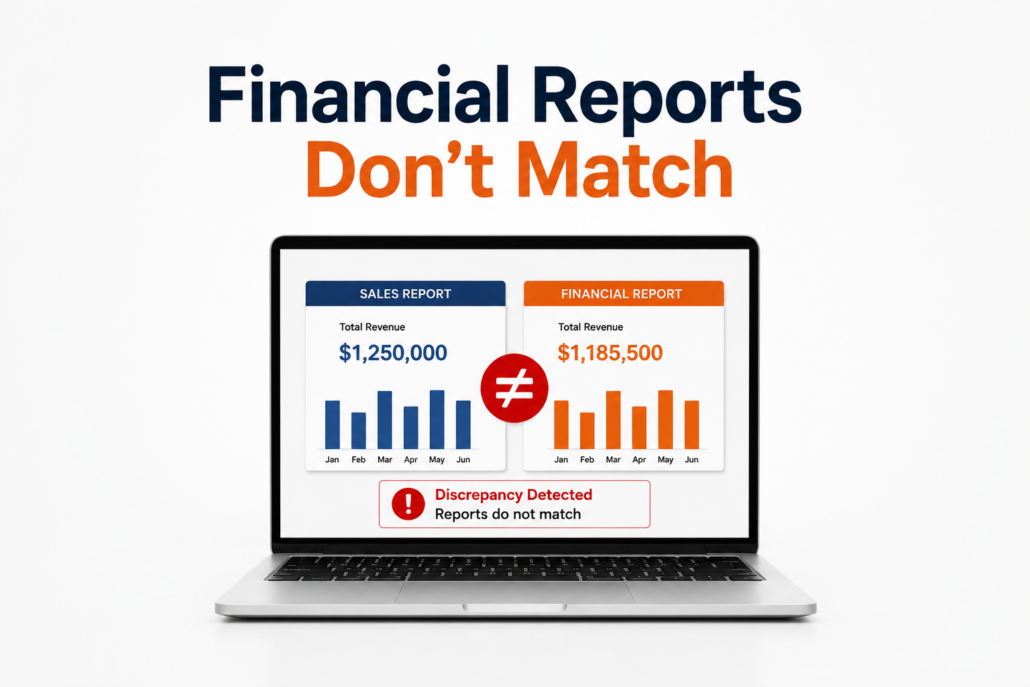
One of the most frustrating ERP support issues businesses experience is when financial reports don’t match in ERP systems. A company may have one number in an operational report, another in a financial statement, and a third number in a spreadsheet someone created manually.
When financial information cannot be trusted, decision-making becomes more difficult. Accounting teams spend hours investigating discrepancies, management loses confidence in reports, and employees often create workarounds outside the ERP system.
Whether you use SAP Business One, Microsoft Dynamics, Oracle NetSuite, Acumatica, or another ERP platform, accurate financial reporting depends on clean data, proper processes, correct configurations, and reliable integrations.
For more information about common ERP challenges, see our guide:
Read About: The Common ERP Support Questions Businesses Ask
Why Financial Reports Don’t Match in ERP Systems
ERP systems are designed to provide a single source of truth for business information. When properly configured and maintained, your ERP should connect sales, purchasing, inventory, manufacturing, accounting, and reporting.
However, over time, discrepancies can develop.
Common examples include:
- Inventory values that don’t match the general ledger
- Sales reports that differ from accounting reports
- Profit margins that appear incorrect
- Missing transactions
- Incorrect account balances
- Reports that change depending on who runs them
These issues are often caused by a combination of system configuration, user processes, data quality, and integrations.
Common Reasons Financial Reports Don’t Match
1. Why Financial Reports Don’t Match When Inventory Data Is Incorrect
Inventory and financial reporting are closely connected.
When inventory transactions are incorrect, financial reports can also become inaccurate.
Common causes include:
- Incorrect inventory adjustments
- Missing goods receipts
- Incorrect goods issues
- Backdated transactions
- Incorrect inventory valuation methods
- Manual inventory changes
For manufacturing and distribution companies, inventory accuracy is especially important because inventory impacts:
- Cost of goods sold
- Gross profit
- Balance sheet reporting
- Production costing
Many financial reporting problems begin with inaccurate or incomplete ERP data. Before correcting reports, businesses should review the quality of the underlying information driving those reports.
Inventory problems in ERP systems? How to Fix Inventory Problems in ERP Systems
2. How to Troubleshoot Financial Reports That Don’t Match
Modern businesses often connect their ERP system with:
- Ecommerce platforms
- CRM systems
- Warehouse management systems
- Shipping applications
- Manufacturing software
- Third-party applications
When integrations fail, financial information may not transfer correctly.
Examples include:
- Sales transactions not posting correctly
- Incorrect tax information
- Duplicate transactions
- Missing journal entries
- Delayed synchronization
A company may think it has an accounting problem when the real issue is an integration problem.
ERP integrations break, read: Why ERP Integrations Break — And How to Prevent Them
3. Poor ERP Data Quality
Financial reporting is only as accurate as the data entering the system.
Poor data quality can result from:
- Duplicate customers or vendors
- Incorrect item master data
- Incorrect account assignments
- Inconsistent processes
- Manual spreadsheet tracking
Over time, small errors can create major reporting challenges.
Read: Clean ERP Data: The Foundation of AI and Automation in SAP Business One
4. Incorrect ERP Configuration
ERP systems contain thousands of configuration settings that influence reporting.
Examples include:
- Chart of accounts setup
- Posting periods
- Tax configuration
- Inventory valuation settings
- User permissions
- Financial templates
A system may be functioning correctly while producing incorrect results because the configuration does not match the business process.
5. Users Are Creating Manual Workarounds
One of the biggest warning signs of ERP reporting problems is when employees stop trusting the system.
Common workarounds include:
- Excel spreadsheets
- Manual adjustments
- Separate tracking databases
- Offline reporting processes
While spreadsheets can be useful, too many manual processes create:
- Duplicate data
- Version-control problems
- Increased errors
- Less visibility
A healthy ERP environment should reduce manual work, not increase it. Reporting problems often reveal broader process issues. A strong SAP Business One support services program helps businesses improve data accuracy, reporting, and system usage.
ERP upgrades often uncover reporting challenges caused by outdated customizations, inconsistent data, or changes to system functionality.
Read More: Reporting Challenges During ERP Upgrades
SAP Business One Financial Reporting Challenges
SAP Business One provides powerful financial reporting capabilities, but businesses still need proper configuration, training, and ongoing support to get the most value from the system.
Common SAP Business One reporting challenges include:
- Financial statement discrepancies
- Inventory valuation differences
- General ledger reconciliation issues
- Incorrect posting transactions
- Crystal Reports challenges
- User-created reporting workarounds
Many SAP Business One reporting issues are not software failures. They are usually related to processes, configuration, integrations, or data quality.
Reporting problems become even more disruptive when employees cannot access the information they need because of ERP system interruptions.
For official SAP Business One documentation and resources, visit: SAP Business One Help Portal
How to Troubleshoot Financial Reports That Don’t Match in ERP Systems
When financial reports do not match, avoid immediately changing data.
A structured review process is usually more effective.
Step 1: Identify the Difference
Determine:
- Which reports do not match?
- What fields are different?
- When did the discrepancy begin?
Step 2: Review Transaction History
Look for:
- Missing transactions
- Incorrect postings
- Manual adjustments
- Integration errors
Step 3: Check Master Data
Review:
- Customer records
- Vendor records
- Items
- Accounts
- Cost centers
Step 4: Verify System Configuration
Confirm that:
- Posting rules are correct
- Financial settings match business requirements
- Reports are using the correct parameters
Step 5: Review User Processes
Determine whether users are:
- Following established procedures
- Using outdated processes
- Creating manual workarounds
How to Prevent Financial Reports from Not Matching
The best solution is preventing problems before they occur.
Businesses can improve ERP reporting accuracy by:
Maintaining Clean Data
Regularly review and maintain master data.
Training Users
Ensure employees understand how transactions impact financial reporting.
Monitoring Integrations
Verify that connected systems are transferring information correctly.
Properly Maintained Customizations
Many businesses rely on customized reports to support decision-making. However, outdated or poorly maintained report customizations can create inaccurate results over time.
Reviewing ERP Processes
Document workflows and identify opportunities for improvement. Accurate reporting depends on accurate transactions and consistent user processes. Ongoing ERP training helps employees understand how their daily activities impact financial reporting.
Working With an Experienced ERP Support Partner
A knowledgeable support partner can help identify issues before they become major business problems.
Want Industry Leading SAP Business One support? Discover: Why Choose Support One for SAP Business One?
Why Financial Reporting Matters More Than Ever
Accurate reporting is no longer just an accounting requirement.
Businesses rely on ERP data for:
- Forecasting
- Strategic planning
- Inventory decisions
- Customer profitability analysis
- Operational improvements
- Future AI initiatives
As companies begin exploring AI-powered analytics and automation, reliable ERP data becomes even more important.
Poor-quality ERP data can lead to poor recommendations and inaccurate insights.
Related Reading:
Final Thoughts
When financial reports don’t match in ERP systems, the issue is rarely caused by one simple mistake.
Most reporting discrepancies are the result of connected challenges involving:
- Data quality
- Inventory accuracy
- ERP integrations
- User processes
- System configuration
- Training
The good news is that these issues can usually be identified and corrected with the right approach. Reporting issues are among the most common challenges SAP Business One users face. The right support approach can help businesses improve reporting accuracy and user confidence.
Data accuracy is only one part of maintaining a healthy ERP environment. Businesses should also evaluate system security, user access, and outdated technology.
A proactive ERP support strategy helps businesses maintain accurate reporting, improve confidence in their data, and get more value from their ERP investment. Reporting challenges are often a sign that businesses need deeper ERP expertise, better processes, or a more proactive support approach.
Need Help Resolving ERP Reporting Issues?
Financial reporting problems can quickly become business problems.
If your team is spending too much time reconciling reports, investigating discrepancies, or questioning ERP data accuracy, Support One can help.
As an experienced SAP Business One support partner, we help businesses:
✅ Improve ERP reporting accuracy
✅ Resolve inventory and financial discrepancies
✅ Troubleshoot integrations
✅ Optimize SAP Business One processes
✅ Improve user adoption
✅ Prepare their ERP environment for future growth
Let’s talk about your ERP system support needs.
Contact Support One today to discuss your SAP Business One challenges.

Let us Help Solve your Financial Reporting Discrepancies

