AI Inventory Management: Reduce Costs & Stockouts
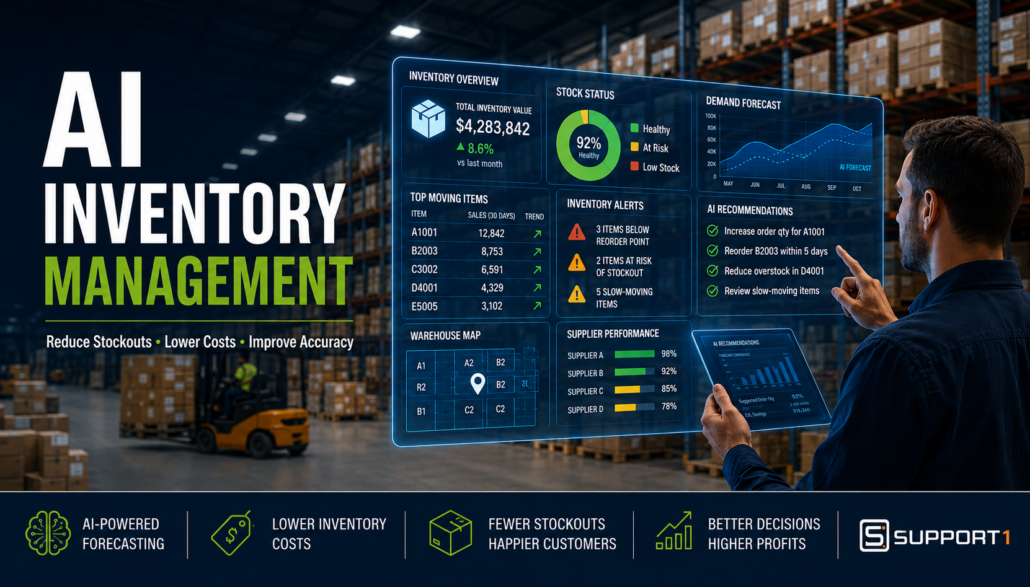
How AI Improves Inventory Management: Reduce Stockouts, Lower Costs, and Increase Accuracy
Part 1
AI inventory management is transforming how manufacturers and distributors balance inventory levels, reduce costs, and improve customer service. Inventory is one of the largest investments for most businesses, and every item sitting on a shelf represents capital that could otherwise be invested in growth. At the same time, running out of critical inventory can delay production, disappoint customers, and reduce revenue.
Traditional ERP systems like SAP Business One provide the data businesses need to manage inventory effectively. However, data alone doesn’t tell managers what actions to take. This is where artificial intelligence (AI) is changing the way companies manage inventory. AI analyzes historical trends, identifies patterns, predicts future demand, and recommends actions that help businesses make faster and better decisions.
It’s important to understand that AI doesn’t replace your ERP system—it enhances it. SAP Business One remains your trusted system of record, while AI helps turn the information already stored in your ERP into meaningful business insights.
If you’re just beginning your AI journey, read our AI for SAP Business One: The Complete Guide to learn how manufacturers and distributors are using practical AI across every department of their business.
Why Modern AI Inventory Management Is More Important Than Ever
Inventory management has never been as dynamic as it is today. Manufacturers and distributors face constant pressure to improve customer service while reducing inventory costs.
Some of today’s biggest challenges include:
- Supply chain disruptions
- Longer supplier lead times
- Inflation and rising carrying costs
- Fluctuating customer demand
- Global sourcing challenges
- Labor shortages
- Increased customer expectations for fast delivery
Even businesses with well-established inventory processes struggle to react quickly enough when conditions change.
For example, a sudden increase in demand may create stock shortages before planners recognize the trend. Conversely, slowing sales may leave warehouses full of products that tie up working capital and consume valuable storage space.
According to Gartner, supply chain leaders are increasingly investing in AI-powered analytics to improve forecasting, planning, and decision-making as supply chains become more volatile.
Businesses that rely solely on historical reports often react after problems occur. AI shifts inventory management from reactive to proactive by identifying trends much earlier.
What AI Inventory Management Actually Does
There is often confusion about what AI actually does within inventory management.
Many people imagine AI automatically controlling purchasing decisions or replacing inventory planners. In reality, AI is designed to assist decision-making—not replace it.
Think of it this way:
ERP stores information.
AI interprets information.
Together, they create a far more intelligent inventory management process.
Instead of manually reviewing hundreds of reports, AI can analyze thousands of inventory transactions within seconds and highlight opportunities that deserve attention.
AI can help businesses:
- Predict future demand
- Recommend reorder quantities
- Identify slow-moving inventory
- Detect unusual purchasing patterns
- Highlight potential stock shortages
- Recommend inventory transfers
- Analyze supplier performance
- Improve forecast accuracy
Rather than replacing experienced inventory managers, AI allows them to spend less time searching for information and more time making strategic decisions.
Microsoft describes this approach as using AI to augment human expertise by delivering insights that would be difficult or impossible to uncover manually.
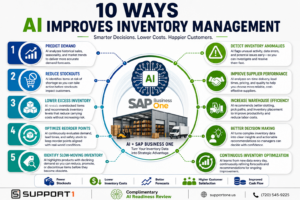
Discover 10 practical ways AI inventory management helps manufacturers and distributors reduce stockouts, improve forecasting, optimize warehouse operations, and increase profitability using SAP Business One.
10 Ways AI Improves Inventory Management
1. Predict Demand More Accurately
Demand forecasting has traditionally relied on historical sales data and the experience of planners. While these methods remain valuable, they often struggle to account for rapidly changing market conditions.
AI analyzes far more information than traditional forecasting methods, including:
- Historical sales
- Seasonal trends
- Purchasing behavior
- Promotions
- Market changes
- External factors
- Product life cycles
As AI continuously learns from new data, forecasts become more accurate over time.
Better forecasting helps businesses:
- Purchase inventory at the right time
- Reduce emergency orders
- Improve customer service
- Lower carrying costs
Within SAP Business One, historical sales and purchasing information provide an excellent foundation for AI-powered forecasting.
2. Reduce Stockouts Before They Happen
Few situations frustrate customers more than hearing:
“Sorry—we’re out of stock.”
Stockouts result in:
- Lost revenue
- Delayed production
- Rush shipping costs
- Customer dissatisfaction
- Damage to your reputation
Traditional reports often identify shortages only after inventory levels have already become critical.
AI continuously monitors inventory activity and identifies products that are likely to experience shortages before they occur.
Instead of simply reporting today’s inventory balance, AI can answer questions such as:
- Which products are likely to stock out within the next 30 days?
- Which customers are increasing purchases faster than expected?
- Which suppliers have recently experienced longer lead times?
These predictive insights allow inventory managers to act before shortages affect customers.
3. Lower Excess Inventory
Excess inventory is expensive.
Every pallet sitting in a warehouse represents:
- Working capital
- Warehouse space
- Insurance costs
- Handling expenses
- Obsolescence risk
Many businesses accumulate excess inventory because planners understandably prefer to avoid stockouts.
AI helps find a healthier balance.
By identifying slow-moving products and analyzing future demand, AI can recommend where inventory levels should be reduced without increasing business risk.
AI can also identify products that:
- Sell seasonally
- Are approaching end-of-life
- Have declining demand
- Are being replaced by newer products
These insights help businesses reduce carrying costs while maintaining excellent customer service.
For manufacturers and distributors, this often leads directly to improved cash flow and higher profitability.
For more ideas on increasing profitability, read our article on SAP Business One ROI: 10 Ways to Increase Profitability.
4. Optimize Reorder Points
Many companies establish reorder points when an item is first created—and never review them again.
Unfortunately, customer demand, supplier performance, and lead times rarely stay the same.
AI continuously evaluates:
- Demand trends
- Supplier delivery performance
- Sales velocity
- Safety stock
- Seasonal demand
Instead of relying on outdated reorder levels, AI recommends adjustments that better reflect current business conditions.
Inventory planners remain in control, but they receive intelligent recommendations that help improve purchasing decisions.
This creates a much more agile inventory planning process without requiring constant manual analysis.
5. Identify Slow-Moving and Obsolete Inventory
One of AI’s greatest strengths is recognizing patterns that humans often overlook.
Products rarely become obsolete overnight.
Instead, demand gradually declines until inventory quietly accumulates.
AI can identify items that:
- Haven’t sold recently
- Have declining sales trends
- Have excessive inventory compared to demand
- May require promotional pricing
- Should no longer be reordered
These recommendations help businesses reduce inventory write-offs while freeing warehouse space for higher-performing products.
Combining these insights with effective warehouse processes can significantly improve operational efficiency. If you’re looking to optimize warehouse operations even further, explore our articles on SAP Business One WMS: Improve Warehouse Efficiency and ROI and SAP Business One Barcode Scanning: Improve Accuracy and Productivity.
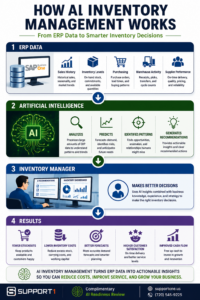
How AI Inventory Management Works with SAP Business One
One common misconception is that businesses need to replace their ERP system to benefit from AI.
In reality, the opposite is true.
AI becomes more valuable when it has access to accurate ERP data.
SAP Business One already manages critical business information, including:
- Inventory quantities
- Item master data
- Sales history
- Purchasing history
- Supplier information
- Customer demand
- Warehouse transactions
- Bills of materials
- Production orders
- MRP recommendations
AI doesn’t replace these capabilities.
Instead, it analyzes this information to uncover trends, identify risks, and recommend actions.
Think of SAP Business One as the business system that records operational activity, while AI becomes an intelligent advisor that helps users understand what the data means and what actions they should consider next.
Businesses with clean ERP data are in the best position to take advantage of AI.
If you’re evaluating your organization’s AI readiness, you may also find these articles helpful: