
SAP Business One Barcode Scanning Guide
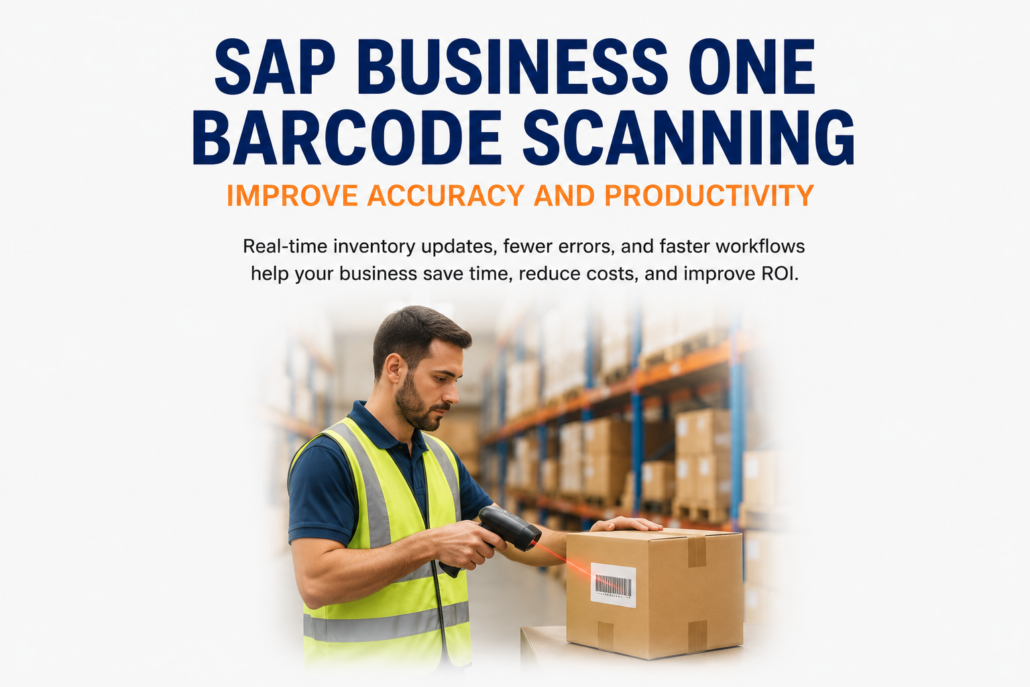
SAP Business One Barcode Scanning: Improve Accuracy and Productivity
SAP Business One Barcode Scanning helps businesses improve inventory accuracy, increase warehouse productivity, and reduce manual data entry through real-time inventory transactions. Many growing businesses still rely on paper receiving documents, handwritten pick lists, or manual inventory counts, resulting in duplicate data entry, shipping mistakes, and frustrated employees.
By capturing inventory movements at the point of activity, barcode scanning eliminates many of the delays and errors associated with manual warehouse processes. Employees can complete receiving, picking, shipping, transfers, and inventory counts more quickly while SAP Business One updates inventory automatically. The result is better inventory visibility, improved order accuracy, lower labor costs, and a stronger return on your ERP investment.
What Is SAP Business One Barcode Scanning?
SAP Business One Barcode Scanning allows warehouse employees to use handheld mobile devices or barcode scanners to capture inventory transactions as they happen. Instead of recording information on paper and entering it later, employees scan products, locations, serial numbers, or lot numbers, and the information is immediately updated in SAP Business One.
Barcode scanning is commonly used for:
- Receiving inventory
- Put-away
- Inventory transfers
- Order picking
- Packing and shipping
- Cycle counting
- Production issues and receipts
- Returns processing
Many businesses implement barcode scanning through an integrated warehouse management system (WMS), combining mobile technology with real-time ERP data to improve warehouse efficiency.
Related Reading: How Warehouse Management Systems Improve SAP Business One ROI
Most modern warehouse solutions follow GS1 Barcode Standards, helping businesses maintain consistent product identification throughout their supply chain.
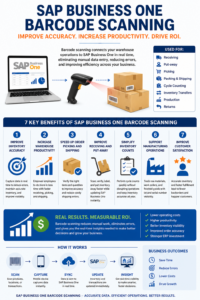
SAP Business One Barcode Scanning streamlines warehouse operations with real-time inventory updates, helping businesses improve accuracy, increase productivity, reduce costs, and maximize ERP ROI.
Why Businesses Still Struggle Without SAP Business One Barcode Scanning
Manual warehouse processes may seem manageable, but they become increasingly costly as organizations grow.
Common challenges include:
- Paper-based receiving
- Duplicate data entry
- Inventory inaccuracies
- Picking errors
- Shipping mistakes
- Time-consuming inventory counts
- Difficulty locating products
- Delayed inventory updates
These problems not only reduce productivity but also affect purchasing, production, customer service, and profitability.
1. Improve Inventory Accuracy with SAP Business One Barcode Scanning
Inventory accuracy is the foundation of an efficient warehouse.
When inventory transactions are entered manually, mistakes inevitably occur.
Barcode scanning improves accuracy by allowing employees to verify products and warehouse locations with every transaction.
Benefits include:
- Real-time inventory updates
- Fewer manual errors
- Better inventory visibility
- Reduced inventory write-offs
- More reliable planning
Accurate inventory helps purchasing, production, and sales teams make better decisions while reducing costly surprises.
Organizations evaluating mobile scanning devices can also explore warehouse mobility best practices to learn how barcode technology improves warehouse efficiency and operational visibility.
Accurate inventory data becomes even more valuable when paired with CRM Integration for SAP Business One, giving sales representatives real-time product availability while helping them serve customers with confidence.
Barcode scanning improves inventory accuracy, while Business Intelligence for SAP Business One converts that real-time warehouse data into dashboards that support better inventory planning and operational decisions. Adding AI Inventory Management turns accurate ERP data into intelligent forecasting and purchasing recommendations.
2. Increase Warehouse Productivity
Warehouse employees spend less time writing information, entering data, and searching for products when barcode scanning is integrated with SAP Business One.
Instead, they can focus on value-added activities such as:
- Receiving inventory faster
- Picking orders more efficiently
- Processing shipments
- Managing warehouse locations
- Completing inventory counts
The result is higher productivity without increasing labor costs.
When combined with eCommerce Integration for SAP Business One, barcode scanning enables warehouse teams to fulfill online orders faster while maintaining accurate inventory throughout the fulfillment process.
Related Reading: SAP Business One Automation: Save Time, Reduce Costs, and Improve Efficiency
3. Speed Up Order Picking and Shipping
Order fulfillment directly affects customer satisfaction.
Barcode scanning helps employees:
- Verify the correct products
- Confirm quantities
- Validate warehouse locations
- Reduce shipping errors
- Improve picking accuracy
Customers receive the correct products faster, while businesses reduce returns and costly reshipments.
Once inventory has been accurately picked and packed using barcode scanning, Shipping Integration for SAP Business One automatically generates shipping labels and tracking information, completing an efficient and error-free fulfillment workflow.
Barcode scanning ensures inventory accuracy inside the warehouse, while EDI Integration for SAP Business One electronically shares shipment information with customers and trading partners, completing an efficient fulfillment process.
4. Improve Receiving and Put-Away
Receiving inventory manually often creates bottlenecks.
With barcode scanning, warehouse employees can:
- Scan incoming products
- Verify purchase orders
- Print labels
- Assign warehouse locations
- Update inventory immediately
This allows inventory to become available for sales and production much sooner.
Barcode scanning helps ensure warehouse transactions are captured accurately, while AI warehouse management can use that operational data to identify recurring errors, improve picking decisions, optimize replenishment, and uncover opportunities for greater efficiency.
5. Simplify Inventory Counts
Many businesses still perform annual physical inventories that disrupt operations.
Barcode scanning makes cycle counting much easier.
Employees can:
- Scan products
- Verify quantities
- Update inventory immediately
- Continue normal warehouse operations
Regular cycle counts improve inventory accuracy throughout the year while minimizing business interruptions.
6. Support Manufacturing Operations
Manufacturers also benefit from barcode scanning throughout production.
Employees can scan:
- Raw materials
- Work orders
- Finished goods
- Lot numbers
- Serial numbers
This improves production tracking while reducing manual paperwork and improving traceability.
7. Improve Customer Satisfaction
Customers expect fast and accurate deliveries.
Barcode scanning helps businesses:
- Reduce shipping errors
- Improve order accuracy
- Speed up fulfillment
- Reduce backorders
- Provide more accurate inventory availability
Better warehouse performance creates a better customer experience.
8. SAP Business One Barcode Scanning Works Best with Warehouse Management
While barcode scanning delivers immediate benefits on its own, it becomes even more powerful when combined with a Warehouse Management System.
A WMS provides additional capabilities including:
- Directed picking
- Bin location management
- Mobile warehouse transactions
- Real-time inventory visibility
- Optimized warehouse workflows
Together, barcode scanning and warehouse management improve efficiency across the entire warehouse operation.
Related Reading: SAP Business One Integrations ROI: The Real Business Benefits
9. SAP Business One Mobile Barcode Scanning Beyond the Warehouse
Barcode scanning isn’t limited to warehouse employees.
Field service technicians, installers, and outside sales representatives can also benefit from mobile barcode scanning.
They can:
- Scan replacement parts
- Update truck inventory
- Record parts usage
- Complete work orders
- Create sales orders
- Update SAP Business One in real time
Mobile barcode scanning improves productivity while reducing paperwork for employees working in the field.
Related Reading: Field Service Management Integration: Improving Efficiency and Profitability
Barcode Scanning, Automation, and AI Work Together
Barcode scanning is often one of the first steps toward warehouse automation.
Accurate data captured through barcode scanning supports:
- Automated inventory updates
- Workflow automation
- Purchasing recommendations
- Demand forecasting
- AI-powered business insights
The more accurate your operational data becomes, the greater value your automation and AI initiatives can deliver.
Related Reading: What AI Features in ERP Actually Deliver ROI?
Should You Upgrade SAP Business One Before Implementing Barcode Scanning?
Companies running older versions of SAP Business One may not realize how much warehouse functionality has improved in recent releases.
Before investing in additional software, consider:
- Current SAP Business One version
- Existing warehouse processes
- Integration requirements
- Mobile device compatibility
- Long-term automation goals
Working with an experienced SAP Business One partner can help determine the most effective approach.
Related Reading: ERP Upgrade Problems: Causes and Solutions
Choosing the Right Barcode Scanning Solution
Not every business requires the same warehouse solution.
When evaluating barcode scanning software, consider:
- Real-time SAP Business One integration
- Mobile Android devices
- Offline capability
- Bin location management
- Lot and serial number tracking
- Ease of implementation
- Scalability
- Reporting capabilities
An experienced implementation partner can help identify the right solution based on your warehouse processes and future growth plans.
Related Reading: How to Choose the Right SAP Business One Support Partner
Conclusion: Improve Warehouse Performance with SAP Business One Barcode Scanning
SAP Business One Barcode Scanning delivers immediate improvements in inventory accuracy, warehouse productivity, and customer satisfaction.
By eliminating manual data entry, reducing inventory errors, and providing real-time visibility throughout warehouse operations, businesses can lower operating costs while improving order fulfillment and operational efficiency.
Whether you’re looking to modernize your warehouse, prepare for future automation, or increase the return on your ERP investment, barcode scanning provides one of the fastest and most measurable improvements available.
Low-Cost SAP Business One Scanning Solution video: CoreFunction Lightweight Barcode Scanning Solution
While barcode scanning improves warehouse operations, AP Automation for SAP Business One helps finance teams achieve similar gains by eliminating manual invoice processing and improving financial visibility.
Businesses often combine warehouse automation with Payment Processing for SAP Business One to streamline both inventory operations and customer payments while improving overall business efficiency.
Ready to Improve Inventory Accuracy and Warehouse Productivity?
Support One helps businesses implement barcode scanning and warehouse management solutions that integrate seamlessly with SAP Business One. Whether you’re improving warehouse operations, preparing for automation, or evaluating mobile technologies, our team can help you identify the right solution for your business.
Learn Why Businesses Are Choosing Support One for SAP Business One Support and discover how we help organizations improve efficiency, reduce costs, and maximize their ERP investment.
Schedule a Warehouse Optimization Consultation to learn how SAP Business One Barcode Scanning can improve accuracy, productivity, and ROI.

Let’s talk about Barcode Scanning solutions for SAP Business One

