
Why Is My ERP System Running Slow?
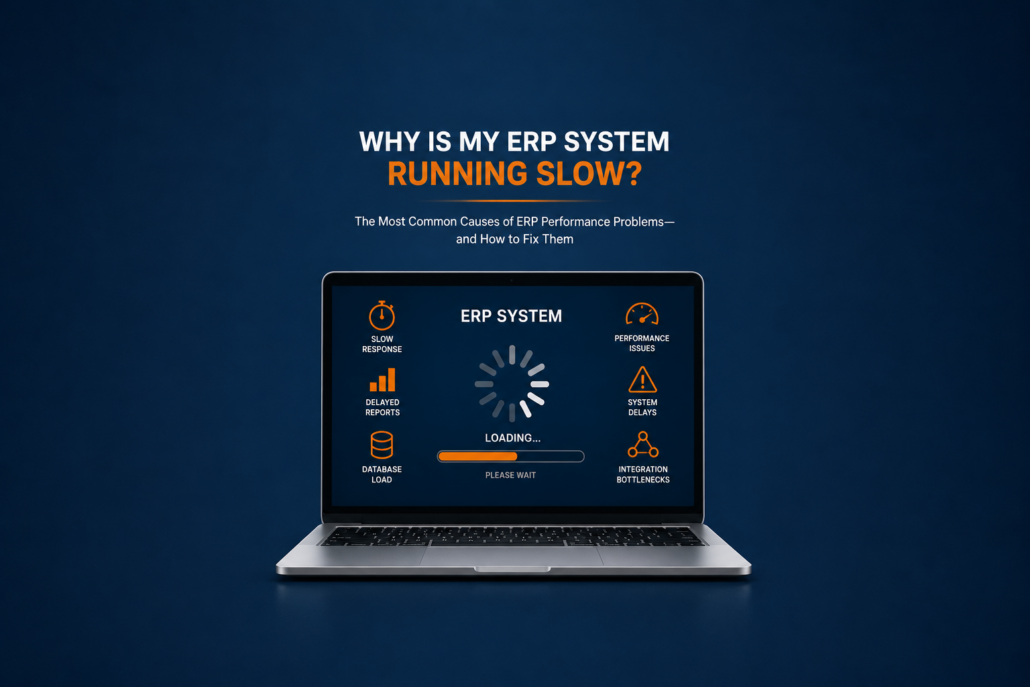
Is your ERP system running slow? You’re not alone. An ERP system running slow is one of the most common support issues businesses face, whether they’re using SAP Business One, Microsoft Dynamics, Oracle NetSuite, Acumatica, or another ERP platform. Slow performance can impact productivity, reporting, inventory management, and customer service.
Few ERP issues generate more frustration than a slow system.
Users click a button and wait. Reports take several minutes to run. Inventory transactions seem delayed. Month-end processes drag on longer than they should. Eventually, employees begin relying on spreadsheets and manual workarounds simply to get their jobs done.
The good news is that most ERP performance problems can be identified and resolved. Understanding the root causes is the first step toward improving system speed, user productivity, and overall business efficiency.
For a broader look at common ERP challenges, see our pillar guide: The Most Common ERP Support Questions Businesses Ask.
If your ERP system is running slow, identifying the root cause is the first step toward improving performance and user satisfaction.
Why ERP System Performance Matters
When an ERP system slows down, the impact extends far beyond IT.
Performance issues can affect:
- Customer service
- Order processing
- Inventory management
- Financial reporting
- Purchasing
- Production scheduling
- Employee productivity
Even a few extra seconds per transaction can translate into hundreds of lost hours over the course of a year. Slow reporting is frustrating, but inaccurate reporting can be even more damaging when financial reports don’t match the underlying ERP data.
In some cases, ongoing performance problems are a sign that a company should evaluate its current ERP environment and consider whether an upgrade is needed.
According to the official SAP Business One Support Resources, maintaining system health and performance is a critical part of maximizing ERP value and user adoption.
Signs Your ERP System Running Slow Is Becoming a Business Problem
Before identifying the cause, it’s important to recognize the symptoms.
Common warning signs include:
- Slow login times
- Delayed screen loading
- Reports taking longer to run
- Inventory transactions lagging
- Frequent application timeouts
- Users reporting inconsistent performance
- Database-intensive processes slowing down during peak hours
If several users are experiencing similar issues, the problem is usually larger than an individual workstation.
The 8 Most Common Causes of ERP System Running Slow Performance Problems
1. Your ERP Database Has Grown Significantly
As businesses grow, ERP databases grow with them.
Over time, systems accumulate:
- Historical transactions
- Customer records
- Inventory history
- Financial data
- Audit trails
A database that performed well five years ago may now contain millions of records.
Without proper maintenance, larger databases can slow down:
- Searches
- Reporting
- Transaction processing
- Dashboard updates
For many ERP systems, database optimization is one of the most effective ways to improve performance. Poorly maintained data can also impact ERP performance. Duplicate records, unnecessary historical data, and inefficient processes can contribute to slower system response times.
2. Poor Database Maintenance
ERP databases require regular maintenance.
Common issues include:
- Fragmented indexes
- Outdated statistics
- Unused tables
- Database corruption
- Inefficient queries
Neglecting database maintenance often causes gradual performance degradation that worsens over time.
For SAP Business One customers running Microsoft SQL Server or SAP HANA, routine database health reviews can significantly improve performance.
3. ERP Integrations Are Slowing Things Down
Many businesses connect their ERP system to:
- CRM platforms
- Ecommerce sites
- Shipping software
- Warehouse systems
- Reporting tools
- AP automation solutions
Poorly designed integrations can create:
- Excessive database activity
- Synchronization delays
- Duplicate processing
- Resource bottlenecks
If performance problems appeared after adding a new integration, it may be worth investigating.
Related Reading: Why ERP Integrations Break — And How to Prevent Costly Business Disruptions
4. Too Many Customizations
Customizations can improve business processes, but they can also create performance challenges.
Examples include:
- Custom reports
- User-defined fields
- Add-ons
- Third-party extensions
- Complex workflows
Over time, excessive customization can make systems more difficult to maintain and optimize.
Some organizations discover that performance problems originate from customizations that were added years ago.
Read More: ERP Customizations: Helpful or Dangerous?
5. Network Problems
Sometimes the ERP system itself is not the problem.
Performance issues can result from:
- Slow internet connections
- Network congestion
- VPN latency
- Wireless connectivity issues
- Remote office connections
Cloud-based ERP environments are especially dependent on network quality.
Before assuming the ERP software is at fault, it is important to evaluate the underlying network infrastructure.
6. Reporting and Queries Are Consuming Resources
Complex reports can significantly impact ERP performance.
This is especially common when:
- Reports pull large data sets
- Queries are poorly optimized
- Dashboards refresh continuously
- Users run multiple reports simultaneously
Reporting often becomes a hidden source of system slowdowns.
Organizations should regularly review which reports are consuming the most resources.
7. Outdated Hardware or Infrastructure
Businesses sometimes outgrow their original ERP infrastructure.
Common issues include:
- Insufficient memory
- Aging servers
- Limited processing power
- Storage bottlenecks
What worked for a company with 10 users may no longer be sufficient for 50 users.
Infrastructure reviews should be conducted periodically to ensure systems remain aligned with business growth.
8. Poor Data Quality
Many companies do not realize that data quality can affect performance.
Common examples include:
- Duplicate records
- Inactive customers
- Obsolete inventory items
- Inconsistent master data
Poor data quality creates inefficiencies throughout the ERP environment.
As businesses increasingly adopt AI tools, maintaining clean data becomes even more important.
Read More: Clean ERP Data: The Foundation of AI and Automations in ERP
SAP Business One Performance Challenges
SAP Business One users often encounter performance issues related to:
- Database growth
- Reporting complexity
- Add-on interactions
- Integration activity
- Infrastructure limitations
As organizations expand, transaction volumes increase and performance expectations rise.
Common support requests include:
- Slow inventory transactions
- Delayed financial reports
- Dashboard performance issues
- Slow query execution
- Month-end processing delays
Many SAP Business One customers contact support because their ERP system is running slow during reporting periods or month-end processing. Many of these issues can be resolved through proactive system reviews and performance tuning.
For official guidance, see the SAP Business One Help Portal.
How to Diagnose an ERP System Running Slow
One of the biggest mistakes businesses make is immediately assuming the ERP software is the problem.
Effective troubleshooting requires identifying:
Who Is Experiencing the Problem?
- One user?
- One department?
- Everyone?
When Does It Occur?
- During peak hours?
- During reporting periods?
- After upgrades?
What Changed?
Performance issues often begin after:
- New integrations
- Software updates
- Infrastructure changes
- Customization projects
Understanding what changed frequently helps identify the root cause faster.
How to Fix an ERP System Running Slow
Organizations can often improve ERP performance by:
Reviewing Database Health
Regular maintenance helps ensure efficient operation.
Evaluating Integrations
Confirm integrations are functioning properly and not overloading resources.
Removing Unused Customizations
Retiring obsolete customizations can simplify the environment.
Monitoring System Resources
Track:
- CPU usage
- Memory utilization
- Storage performance
- Network activity
Cleaning Up Data
Data governance improves both performance and reporting quality.
More on Governance: AI Without Governance is an Business Risk Multiplier
Conducting Regular ERP Health Checks
Proactive reviews often identify performance concerns before users begin complaining.
Slow performance does not always mean a complete system failure, but it can still impact productivity and create operational disruptions. Learn how businesses can reduce ERP downtime and improve system reliability.
Why ERP Performance Matters Even More in the Age of AI
Artificial Intelligence relies on timely access to ERP data.
If systems are already struggling with:
- Slow reporting
- Delayed transactions
- Data inconsistencies
AI initiatives may produce disappointing results.
Businesses preparing for AI should first ensure their ERP environment is healthy, efficient, and scalable.
You may also find these articles helpful:
Read More on AI in ERP:
- AI in ERP Systems: What It Actually Does Today
- The Future of AI in ERP: What Businesses Should Do Now
Final Thoughts
ERP performance problems are frustrating, but they are rarely mysterious.
Most slow ERP systems suffer from a combination of database growth, infrastructure limitations, integration challenges, reporting demands, and data quality issues.
Inventory inaccuracies often accompany ERP performance issues, particularly when poor data quality or integration failures are involved.
The key is identifying the root cause rather than treating the symptoms.
Organizations that proactively monitor system health, maintain clean data, review integrations, and conduct regular performance assessments are far more likely to enjoy reliable ERP performance and higher user satisfaction.
If your ERP system is running slower than it should, now may be the perfect time for a comprehensive system health review.
If performance issues continue despite troubleshooting, it may be time to evaluate whether your current ERP support relationship is providing the guidance and expertise your business needs.
Performance issues are one of the most common reasons businesses seek SAP Business One support. A proactive support partner can help identify the cause of slowdowns and recommend improvements before they impact operations.
Is Your ERP System Running Slower Than It Should?
A slow ERP system doesn’t just frustrate users—it impacts productivity, reporting, customer service, inventory accuracy, and decision-making across your organization.
At Support One, we help businesses identify the root causes of ERP performance problems and develop practical solutions that improve system speed, reliability, and user satisfaction.
Whether you’re experiencing slow reports, delayed transactions, integration bottlenecks, or SAP Business One performance issues, our team can help.
Contact Support One if you need help with:
✅ ERP performance reviews
✅ SAP Business One optimization
✅ Database health assessments
✅ Integration troubleshooting
✅ Reporting performance issues
✅ ERP system health checks
Let’s talk about your ERP system support needs.
If your ERP system is running slower than it should, the issue may involve database growth, integrations, reporting, infrastructure, or system configuration. Support One works with businesses to identify performance bottlenecks and improve overall ERP efficiency.
Call us today at 720-545-9225 or contact us through our website to schedule a conversation.

Explore what Industry Leading Support really Covers

