
What Is an ERP AI Copilot?
What Is an ERP AI Copilot?
What is an ERP AI copilot? ERP AI copilots are quickly becoming one of the most talked-about developments in business software as companies explore new ways to improve productivity, simplify ERP workflows, and access business insights more efficiently. With new capabilities such as SAP Business One Ask AI, conversational AI is also beginning to become a practical part of the SAP Business One user experience.
Major ERP vendors like SAP and Microsoft are investing heavily in AI copilots designed to help users interact with ERP systems more efficiently using conversational AI, automation, and real-time business insights.
But many companies still aren’t sure:
- what an ERP AI copilot actually does
- how it differs from AI agents
- whether it delivers real business value
- or if it’s mostly marketing hype
The reality is that ERP AI copilots are not replacing ERP systems—or employees.
Instead, they are designed to help users:
- access information faster
- reduce manual tasks
- improve decision-making
- interact with ERP systems more naturally
And for many organizations, they may become one of the most practical forms of AI adoption in the near future.
What Is an ERP AI Copilot?
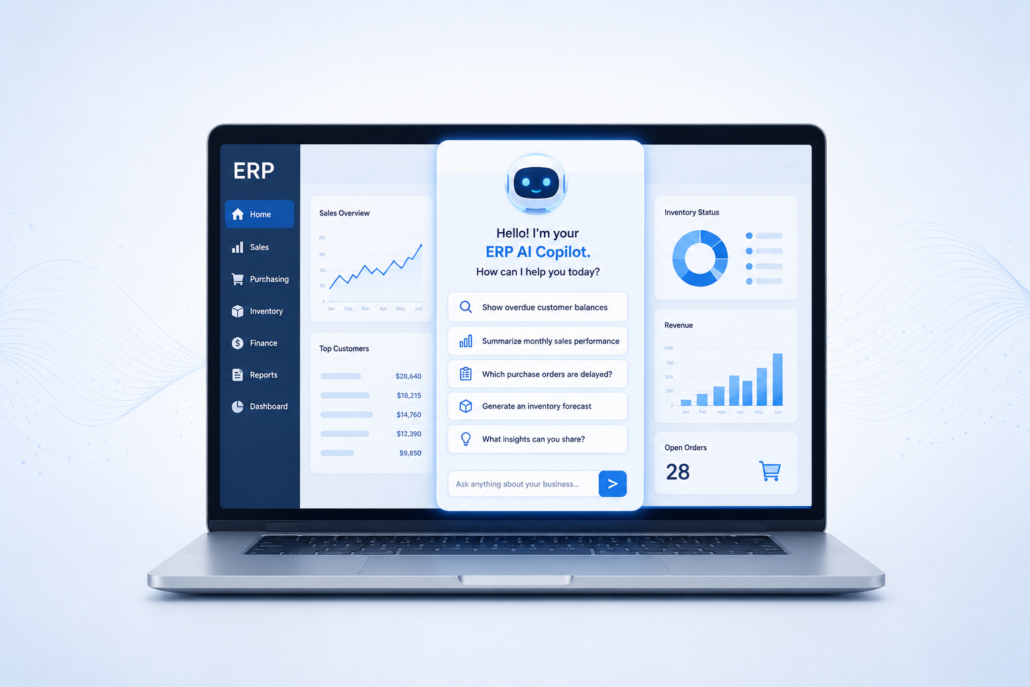
An ERP AI copilot is an AI-powered assistant integrated into an ERP system that helps users complete tasks, retrieve information, generate insights, and navigate workflows using conversational interactions.
Instead of manually searching through menus, reports, and dashboards, users can interact with the ERP system using natural language.
Examples include:
- “Show overdue customer balances.”
- “Summarize monthly sales performance.”
- “Which purchase orders are delayed?”
- “Generate an inventory forecast.”
The AI copilot interprets the request and retrieves relevant ERP data or recommendations.
Think of it as a conversational layer on top of the ERP system.
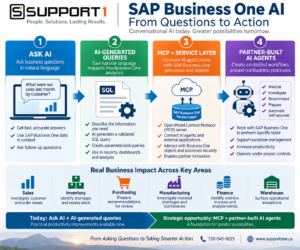
SAP Business One AI is evolving from natural-language questions and AI-generated queries toward MCP-enabled, partner-built AI agents that can support real business processes.
SAP Business One AI Is Moving from Concept to Reality
When this article was originally written, much of the discussion around an ERP AI copilot focused on where ERP technology was heading. With SAP Business One 10.0 FP 2608, some of those capabilities are beginning to become available to SAP Business One users.
FP 2608 materially expands SAP Business One’s native generative AI capabilities. New functionality includes Ask AI, reusable AI question templates, conversational follow-up, and AI-generated user-defined queries. SAP is also enabling integration with SAP AI Core and Generative AI Hub services.
This doesn’t mean SAP Business One suddenly has a mature suite of autonomous AI agents. It does mean that conversational AI and natural-language analytics are becoming practical parts of the SAP Business One ecosystem.
For businesses using SAP Business One, there are now two important AI developments to understand:
- AI that helps people work with information, including Ask AI and AI-generated queries.
- AI that may eventually help interact with business processes, enabled through technologies such as Model Context Protocol (MCP) and the SAP Business One Service Layer.
That distinction helps explain where SAP Business One AI is today—and where it may be heading.
Why AI Copilots Are Gaining Attention in ERP
Traditional ERP systems can be powerful—but also complex.
Many users struggle with:
- navigating menus
- building reports
- locating information
- understanding workflows
- extracting insights quickly
AI-powered ERP assistants aim to simplify that experience.
Instead of requiring users to know:
- where data is stored
- which report to run
- how to filter information
…the copilot helps retrieve information conversationally.
This lowers friction and improves accessibility across the organization.
What AI Copilots Actually Do in ERP Systems
Today’s AI-powered assistants typically focus on improving productivity and user efficiency.
Common capabilities include:
1. Conversational ERP Search with SAP Business One Ask AI
One of the most immediate examples of an ERP AI copilot is conversational access to business information.
With SAP Business One Ask AI, users can ask natural-language questions from Web Client list and detail views. Selected SAP Business One information can be passed into the prompt to provide context for the AI response.
Instead of always starting by navigating menus, finding a report, or creating a query, a user can start with the business question they are trying to answer.
SAP Business One also supports AI question templates. Users or administrators can save prompts as reusable private or public templates associated with SAP Business One objects and views. FP 2608 also supports conversational follow-up, allowing users to continue the discussion after an initial Ask AI response rather than treating every question as an isolated prompt.
This is important because it begins to change the relationship between employees and ERP information.
Traditional ERP: Find the right screen or report → apply filters → analyze the information → find the answer.
Conversational ERP: Start with the business question → use AI to help investigate the information → ask follow-up questions.
That doesn’t replace traditional reporting or human analysis. It gives users another way to work with the information already available to them.
See SAP Business One Ask AI in action in the SAP AI videos available in our SAP Business One Video Resources.
Read More: AI Agents in ERP: What They Actually Do
2. Report Generation and Summaries
These AI assistants can help generate:
- sales summaries
- operational reports
- financial overviews
- inventory snapshots
- customer activity insights
Some copilots can also summarize large datasets into more readable explanations.
3. AI-Generated User-Defined Queries
FP 2608 introduces another practical AI capability that may be especially useful to SAP Business One users who regularly need custom reports and analysis.
Users can describe the information they need in natural language, and AI can generate the SQL SELECT statement for a SAP Business One user-defined query. AI-generated queries can also contain parameters, allowing users to create reusable reports for needs such as date-driven analysis or aging information.
SAP Business One validates AI-generated user-defined queries before use, and the resulting queries can support list views, charts, cards, and dashboards.
This is another example of how an ERP AI copilot can potentially reduce the technical barrier between a business question and the information needed to answer it.
AI doesn’t eliminate the need for appropriate permissions, data knowledge, validation, or human review. But it can make sophisticated ERP analysis accessible to more users and help experienced users work more efficiently.
See SAP Help Documentation: Generate User-Defined Queries with AI.
4. Workflow Assistance
Copilots can guide users through:
- approvals
- purchasing workflows
- reporting tasks
- operational processes
This can help reduce training complexity for newer ERP users.
5. Recommendations and Insights
Some ERP copilots provide:
- forecasting suggestions
- operational alerts
- anomaly detection
- trend identification
- workflow recommendations
These capabilities often combine AI analytics with conversational interfaces.
6. Productivity Improvement
These tools can help reduce:
- repetitive searches
- manual reporting
- administrative workload
- time spent locating information
The goal is not to replace ERP users—but to help them work more efficiently.
An ERP AI Copilot can also support service teams by helping employees investigate customer history, equipment information, parts availability, and other data used in AI for Field Service Management.
ERP Copilots vs. AI Agents
Copilots and AI agents are related technologies, but they serve different purposes.
AI Copilots
Primarily assist users by:
- answering questions
- retrieving information
- summarizing data
- guiding workflows
Copilots are focused on improving user productivity.
AI Agents
Go further by:
- monitoring workflows
- triggering actions
- responding dynamically
- prioritizing operational tasks
- managing exceptions
AI agents are more workflow-oriented and semi-autonomous.
The distinction between an ERP AI copilot and an AI agent is becoming increasingly important for SAP Business One users.
Ask AI is a good example of the copilot model: the user asks questions, explores information, and remains in control of the interaction.
AI agents can go further by potentially working across defined business processes, investigating exceptions, preparing actions, or interacting with ERP objects under established rules and permissions.
SAP Business One’s MCP and Service Layer capabilities create a technical foundation that partners can potentially use to develop these controlled agent workflows. However, businesses should not interpret this as meaning SAP Business One currently includes a mature suite of autonomous native AI agents.
In both cases, appropriate permissions, governance, human oversight, and reliable ERP data remain essential.
Beyond the Copilot: MCP and AI Agents for SAP Business One
Ask AI helps people interact with SAP Business One information. But another FP 2608 development could have even greater long-term significance: Model Context Protocol (MCP) support for AI agents.
SAP provides an open-source MCP server pattern that can connect AI agents with the SAP Business One Service Layer. This creates a standardized path for external AI applications and partner-developed AI agents to work with SAP Business One objects and processes.
The architecture can be thought of simply as:
AI Agent → MCP Server → SAP Business One Service Layer → SAP Business One Objects and Processes
This is different from Ask AI.
Ask AI primarily helps a person ask questions and understand information.
MCP and the Service Layer provide a foundation that could allow appropriately designed AI agents to interact with business processes and ERP objects.
Potential controlled applications could include:
- Identifying orders that may ship late and explaining why
- Investigating why a customer order is blocked
- Finding inventory shortages affecting production
- Preparing a purchasing recommendation or draft purchase order for approval
- Identifying overdue invoices and recommending collection actions
- Investigating inventory discrepancies
- Creating exception queues for warehouse, manufacturing, finance, or service teams
These examples represent potential agent applications enabled by the architecture—not a catalog of autonomous agents currently included with SAP Business One. That distinction is important.
SAP’s current direction appears to emphasize AI extensibility, SAP AI services, the Business One Service Layer, MCP, and partner innovation, rather than providing a large collection of SAP-built autonomous Business One agents today.
For SAP Business One partners and customers, that could create an important new phase of ERP AI: moving from simply asking AI questions about the business toward carefully controlled AI assistance around actual business processes.
See SAP Help Documentation: MCP Server / Service Layer Integration

